

Skip to content
View in the app

A better way to browse. Learn more.

Gear Crushers

A full-screen app on your home screen with push notifications, badges and more.

To install this app on iOS and iPadOS
  1. Tap the Share icon in Safari
  2. Scroll the menu and tap Add to Home Screen.
  3. Tap Add in the top-right corner.
To install this app on Android
  1. Tap the 3-dot menu (⋮) in the top-right corner of the browser.
  2. Tap Add to Home screen or Install app.
  3. Confirm by tapping Install.

Bandimere Speedway 2.0 Update! Property Has Been Acquired, Permits And Zoning Are Underway, And The Town Of Hudson Are Behind Them!

(0 reviews)

We’re excited to bring the latest update on the future of Bandimere Speedway 2.0, as the entire Bandimere family has been diligently working to bring the racing fans and enthusiasts of Colorado a brand new Bandimere Speedway experience. After closing in their longtime home of Morrison, Colorado due to environmental and noise concerns with houses surrounding them little by little, word quickly spread that the Bandimere family was NOT leaving Colorado high and dry and that they intended to build a new Bandimere Speedway facility. After many months of searching for the right property, they have landed in the town of Hudson and are excited for the future.

As you’ll see in their announcement below, zoning, permits, and planning are well under way and the town is as excited as they are. Check out the announcement below, and follow Bandimere Speedway on Facebook for more updates as they come!
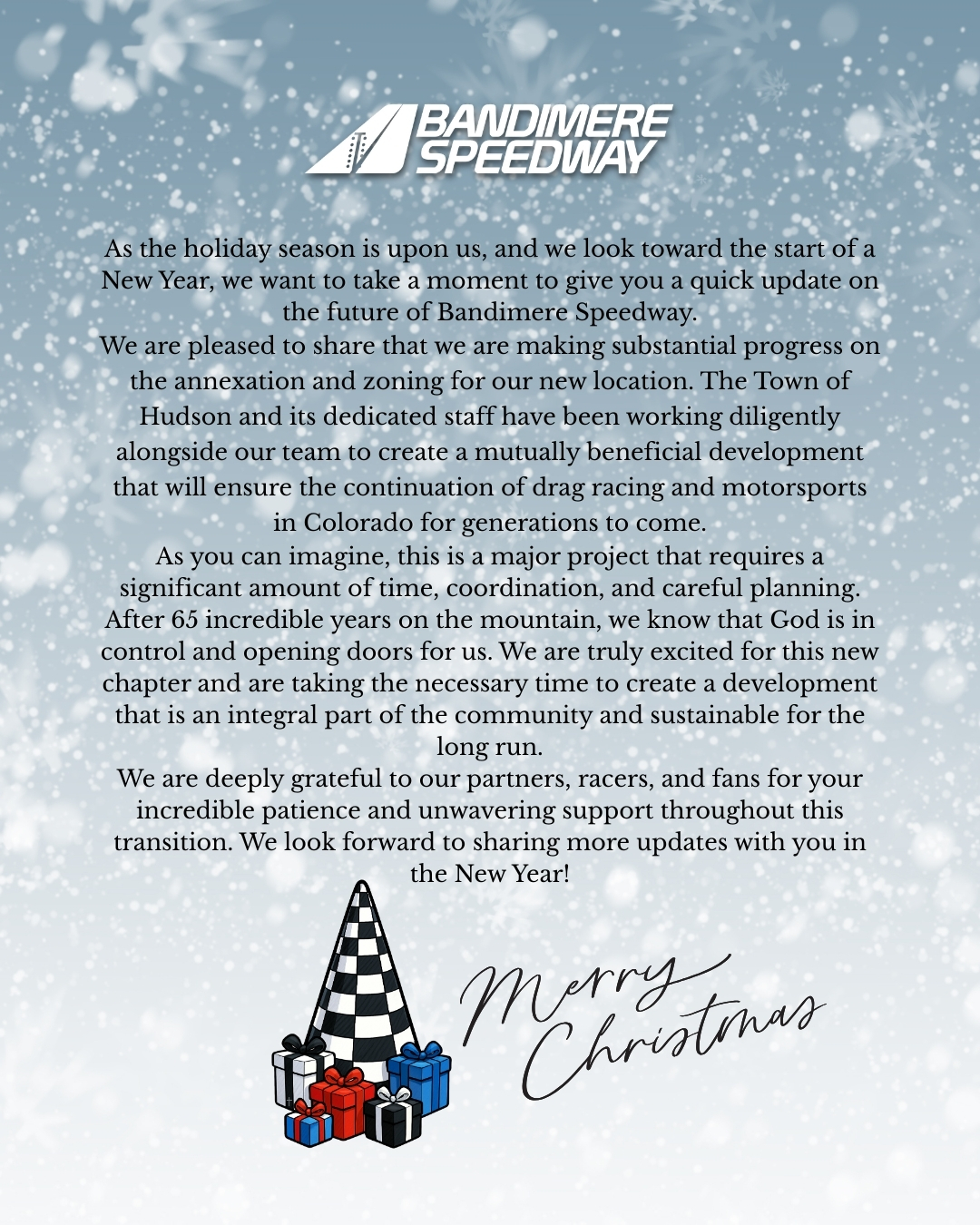
Bandimere-Speedway-Update.jpg

The post Bandimere Speedway 2.0 Update! Property Has Been Acquired, Permits And Zoning Are Underway, And The Town Of Hudson Are Behind Them! appeared first on BangShift.com.

View the full article

User Feedback

There are no reviews to display.

Street Clubs

Important Information

By using this site, you agree to our Terms of Use.

Account

Navigation

Search

Search

Configure browser push notifications

Chrome (Android)
  1. Tap the lock icon next to the address bar.
  2. Tap Permissions → Notifications.
  3. Adjust your preference.
Chrome (Desktop)
  1. Click the padlock icon in the address bar.
  2. Select Site settings.
  3. Find Notifications and adjust your preference.