



Cruz Pedregon Racing announced that crew chief Jason Bunker has departed the organization to explore new opportunities. The team thanks Bunker for his hard work and wishes him nothing but success on the road ahead. Pedregon finished eighth in the NHRA Mission Foods Drag Racing Series and won the NHRA Reading Nationals in 2025, his first win since 2022, the 40th Funny Car victory of his career.
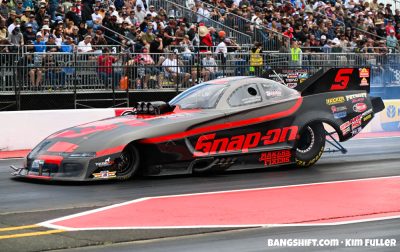
The change comes at an exciting moment for CPR, as the organization ramps up its efforts to elevate performance and build a refreshed, energized program for 2026.
“We’re moving full speed ahead on strengthening our operation and putting the right pieces in place for 2026,” said team owner and driver Cruz Pedregon. “There’s a real sense of momentum in our camp. We’re confident in our direction, motivated to keep improving, and excited about what’s coming next. The work we’re doing right now is setting the tone for a standout season.”

Two-time NHRA Funny Car world champion Cruz Pedregon will reveal his 2026 team lineup in the coming days and a brighter competitive future.
The post Cruz Pedregon Racing Sets Sights On ’26 Season With Leadership Update appeared first on BangShift.com.


There are no reviews to display.