


The new Dodge Charger keeps its muscle car status, but almost everything else has changed: the Hemi V8 is gone along with the Challenger name, the quickest versions are now electric, and every new Charger comes with standard all-wheel drive. Some feared this would spoil the image of Dodge’s large muscle car as a silly but entertaining, tail-happy muscle car, but the new Charger’s AWD system doesn’t spoil the fun. Dodge has now detailed all the different modes for the Charger’s AWD system, which the driver has more control over than the AWD fitted to the older Challenger.
Related: Here’s How the 2026 Dodge Charger Lineup Breaks Down Now That Pricing Is Live
Four Primary Drive Modes
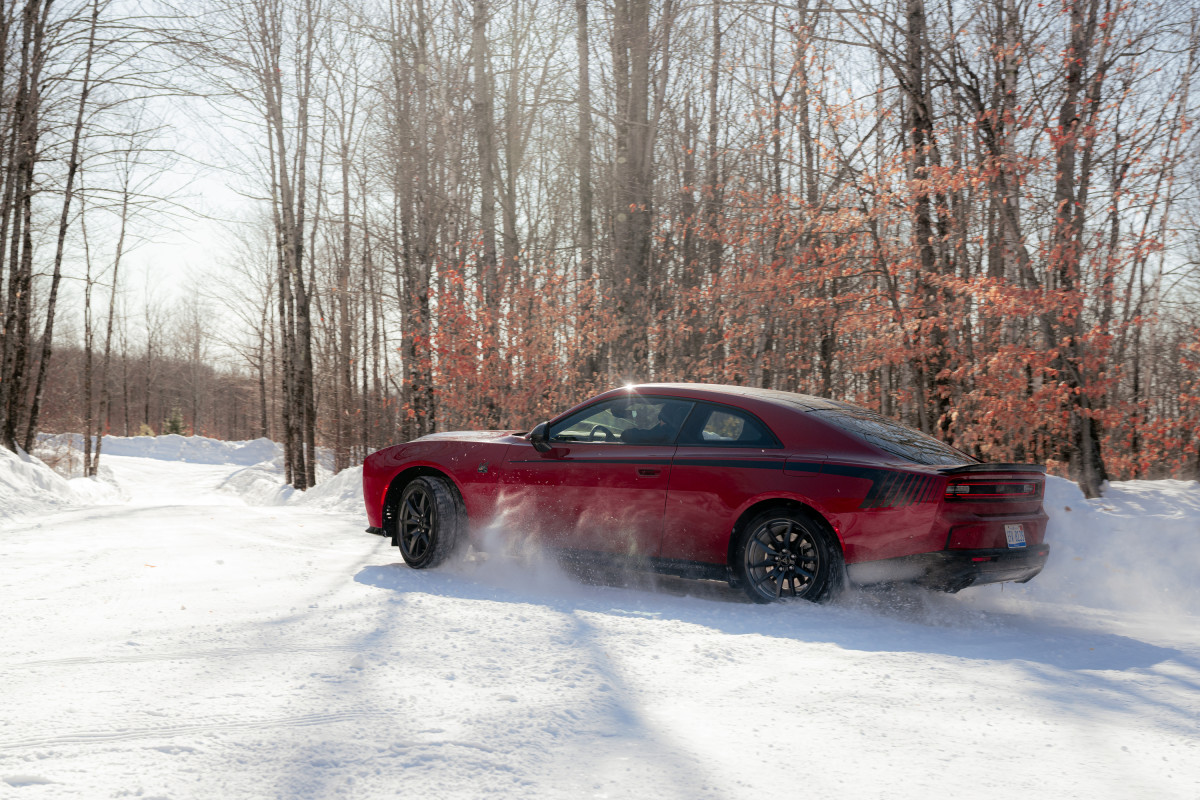
SIXPACK-powered 2026 Dodge Charger Scat Pack (two-door)
Stellantis
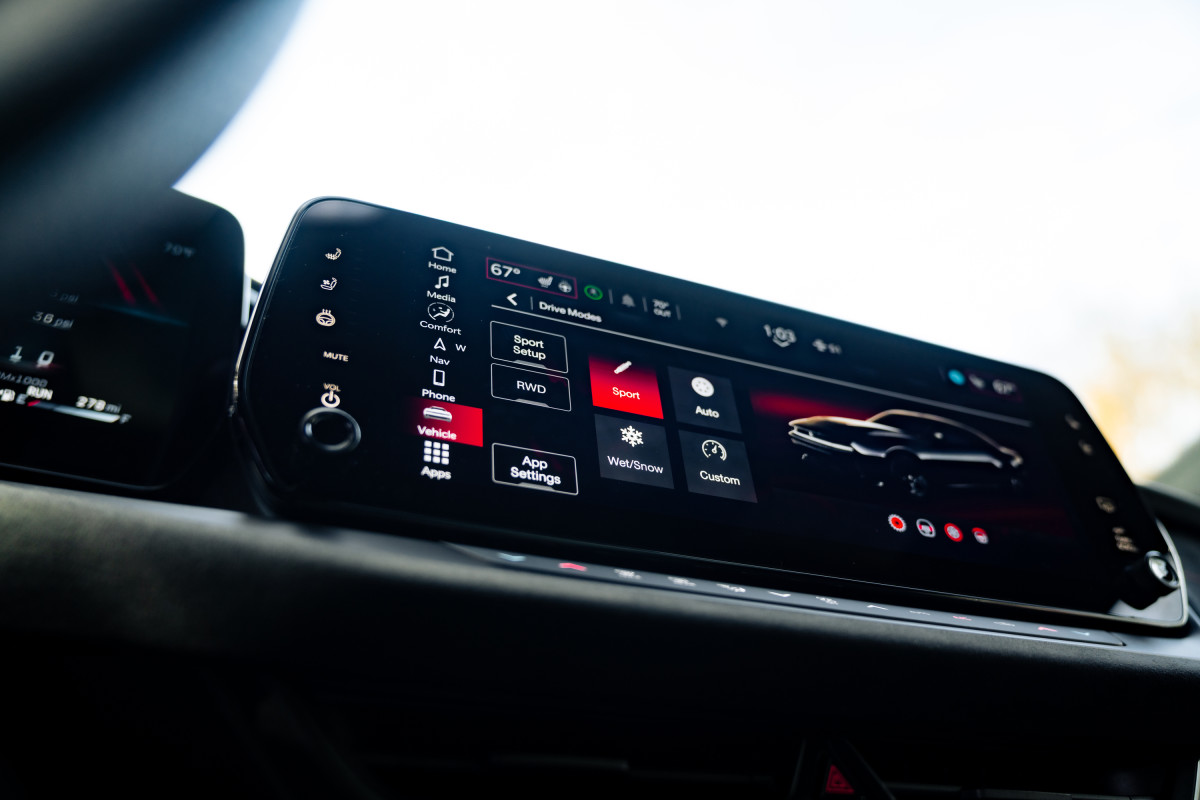
In the old rear-wheel-drive Challenger and Charger, you had to have your wits about you, especially in slippery conditions as the powerful muscle car battled for traction. The new one, though, can be configured to suit the conditions or the driver’s mood. By changing the driving mode, torque can be split between the front and rear axles as follows:
- Auto/Eco Mode (40% front/60% rear)
- Wet/Snow (50/50)
- Sport Mode (30/70)
- RWD/Line Lock (0/100)
The last of these modes turns the Charger into a tail-happy hooligan, and overall, it’s a much more flexible setup than the outgoing model—the old Challenger GT could only send up to 38% torque to the front wheels when needed.
A mechanical limited slip differential is standard, and SixPack-powered Chargers—those with the six-cylinder engine—have a multi-disc wet clutch transfer case. This adjusts the amount of torque being fed to each axle in milliseconds. In low-grip situations, the new Charger limits torque with earlier, softer shifts, and even the steering effort is lowered.
If you go for the electric Daytona Scat Pack, you also get Drag and Custom modes.
Stellantis
As a reminder, SixPack R/T models have a 3.0-liter turbocharged six-cylinder engine producing 420 hp. The SixPack Scat Pack models use the same engine, but are tuned for 550 hp, while the fully electric Daytona Scat Pack makes 670 hp.
“All-wheel-drive capability takes Dodge performance vehicles from three-season to all-season daily drivers,” said Matt McAlear, Dodge CEO. “These systems give Dodge the opportunity to deliver Dodge attitude to customers across the entire country.”
Related: Do You Really Need AWD In Your Next Vehicle?
What It Means
Stellantis
The previous Challenger became the only two-door muscle car in its segment to boast the option of AWD, making it a more usable option than its Mustang and Camaro rivals. Ford once intended to produce a new Mustang with AWD, but those plans were scrapped. The Camaro lineup has been retired completely, too.
It may not have the angry roar of the old V8, but the new AWD Charger is the most versatile and capable American muscle car you can buy right now, regardless of the season or conditions.


There are no reviews to display.