




With hard lessons learned from the F-150 Lightning, the electric pickup that was recently discontinued, Ford is now focusing on perfecting its upcoming Universal EV platform. This platform will spawn several much more affordable EVs, including an electric truck at around the $30,000 price point. Given the low price, one would think these EVs may miss out on the brand’s best self-driving technologies, but that’s not the case. Ford has confirmed that its first eyes-off driver-assistance system will debut on the new EV platform in 2028. This will be a much more advanced setup than the existing BlueCruise Level 2 system.
Related: Hands-Free Showdown: BlueCruise, Super Cruise, Autopilot. Which One Owns the Highway?
The Big Jump From Level 2 to Level 3
Ford
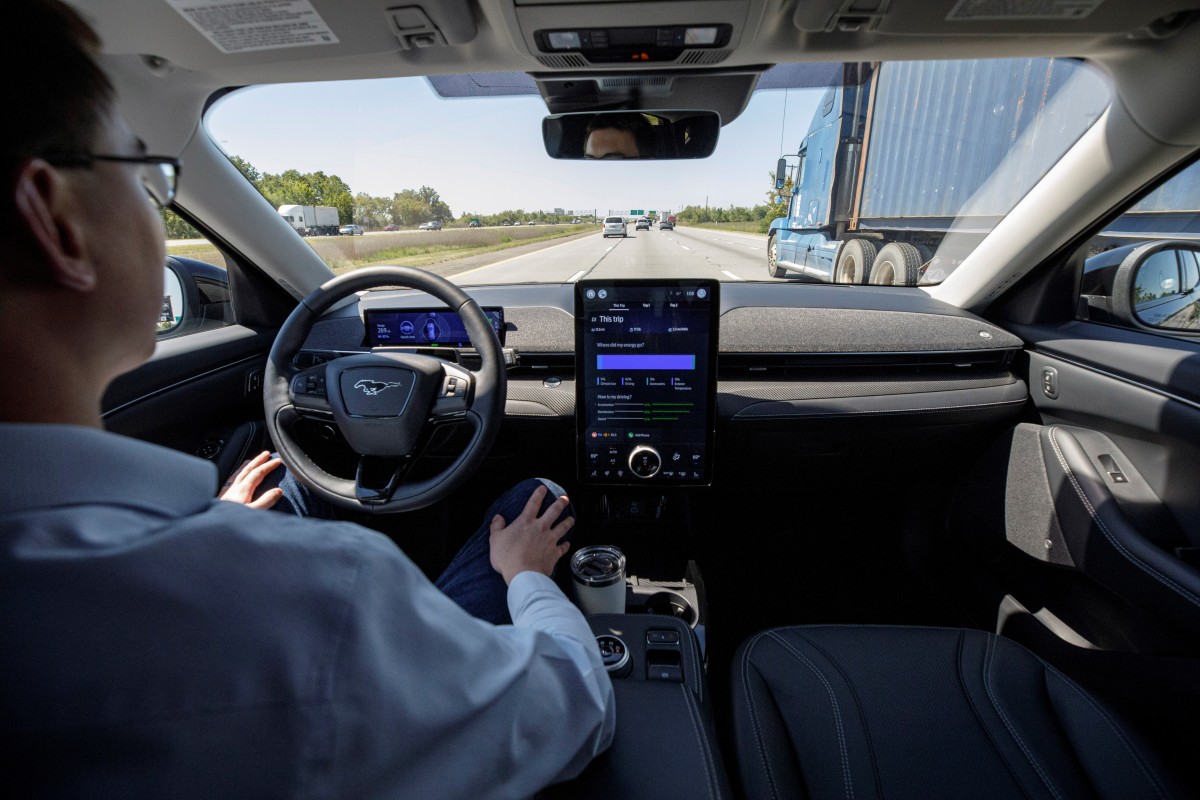
Many automakers currently offer Level 2 systems, whereby you can take your hands off the wheel and let the car take care of steering, braking, and accelerating. Even Tesla’s Full Self-Driving, whereby the car can handle point-to-point driving in almost any environment, remains a Level 2 system, as the driver needs to remain attentive and be ready to take over if necessary. Level 3 is a massive step up, as you can take your eyes off the road as well. This would allow drivers to partake in other tasks while commuting, such as watching videos.
Ford’s planned eyes-off system will use LiDAR sensors, much like Rivian’s new autonomy suite, promising more accurate obstacle detection in low-visibility conditions. But Ford’s new system will not be standard at the $30,000 price point. An extra fee will be required, but Ford hasn’t decided how much this will be or whether it should be a subscription.
“We’re also learning a lot about the business model,” said Doug Field, Ford’s chief EV, digital and design officer, when talking to Reuters. “Should it be a subscription? Should you pay for it all at the beginning? We’re focused right now on making it super affordable, and we’re very excited about that. We have time to establish the pricing for it.”
Tesla charges $8,000 for its FSD suite, and Ford will want to come in below this, as such a cost would diminish the value proposition for a $30k EV.
Quality a Key Concern
Ford
Ford has infamously led the industry in recalls over the last couple of years, with over 150 of them during 2025. Many of these were for older models, though, and Ford will want to avoid a repeat of this with its new EV platform and associated technologies. To support this goal, the company intends to develop the eyes-free system in-house. By relying less on suppliers, Ford hopes to assume greater quality control over the final product, while also reducing costs and delivering faster updates to customers.
As exciting as the eyes-free system is, such technologies are only worth it if they operate reliably. Just ask Volvo; its software-defined EX90 electric SUV has been riddled with glitches, and some owners have even taken the Swedish brand to court because of it.
Final Thoughts
If Ford can get the quality and pricing right, it could become one of the first automakers to offer Level 3 self-driving on a genuinely affordable vehicle. Mercedes already has a Level 3 system, but it’s limited to specific highways in certain states, and is only offered on high-end luxury models like the S-Class. Ford now has the opportunity to position itself as a leader in democratizing advanced self-driving tech.


There are no reviews to display.