


One of the cool things about EVs—especially those built on dedicated battery-electric platforms—is that they offer not only one but two trunks.
Besides the traditional luggage compartment in the back, many EVs also offer a so-called "frunk," short for front trunk. This is enabled by the specific packaging of electric vehicles, which don't require that much room for the powertrain and have far fewer less ancillaries than an internal combustion engine vehicle.
It goes without saying that the frunk is a key USP for EVs and that it comes as standard equipment. Well, not for all EVs. As we reported in December 2025, Ford has decided to stop offering the frunk for free on the 2026 Ford Mustang Mach-E, citing the need to lower prices as the main reason.
Ford Says Mach-E Customers Hardly Used the Frunk
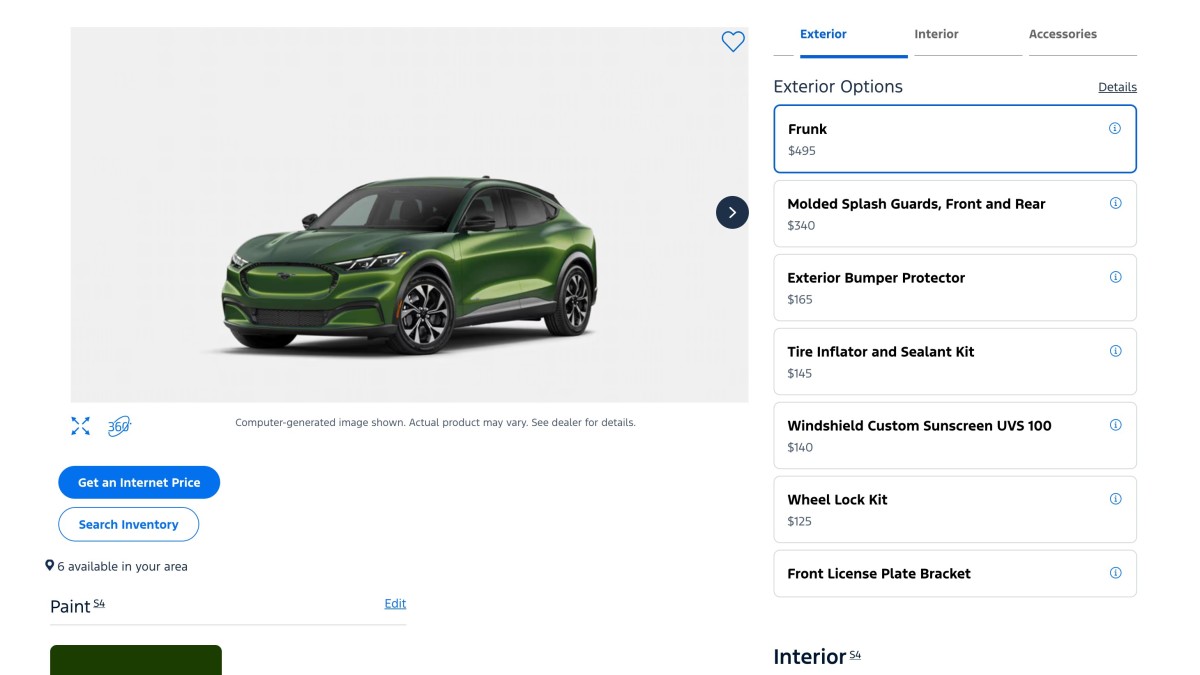
Yes, as hardly believable as it may sound, Ford has made the frunk a paid option on the 2026 Mach-E after five years of offering it for free. Buyers who want a frunk now have to pay $495 extra, regardless of the trim level they want, as Ford's online build tool for the 2026 Mach-E shows.
Now how do you go about explaining that to customers? Besides helping Ford lower Mach-E starting prices—by up to $1,000 on the 2026 Mach-E GT—another stated reason for the decision is that internal research showed that consumers weren't using the frunk very often. As a result, Ford's planning team decided it would be better to make it a paid option.
Whether you buy that explanation or not, making a feature that was previously free a $500 option will certainly not go down well with the Mach-E crowd. You may recall the widespread backlash BMW received in 2022 and 2023 for moving heated seats and steering wheels under a paid monthly subscription, despite the fact that pre-installed hardware for these features was present on the vehicles.
How Much Money Is This Going To Save Ford?

Mind you, the comparison with the BMW subscription debacle doesn't make Ford look good. While people expect to pay extra for features like heated seats, they probably don't imagine having to pay for a basic feature that was previously free of charge.
It's not clear how much money Ford is going to save from producing a standard 2026 Mach-E without a frunk. After all, the space under the hood is still there; it’s just going to be sealed off on vehicles shipped without a frunk. Whatever savings Ford makes from ditching the plastic frame of the frunk are likely offset by the plastic used to seal off the area under the hood.
All things considered, it's worth pointing out that Ford had shrunk the Mach-E's frunk for the 2025 model year by around 40% to make room for a new heat pump. As a result, frunk capacity is now 4.8 cubic-feet. That's not a lot of storage space, but it's not negligible either as it accounts for 16% of the Mach-E's rear trunk size. You can easily store the charging cables there and then some.



There are no reviews to display.