


It’s Finally Here – and It’s a Bit of a Tease
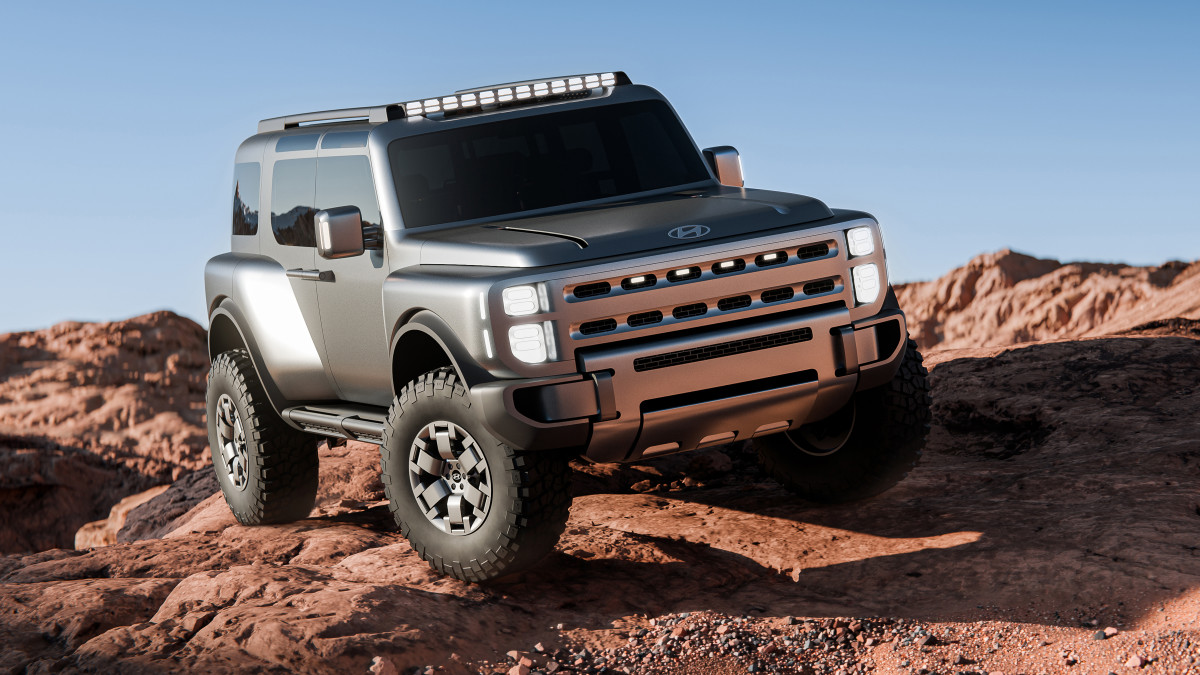
Hyundai was a bit coy with a massive falling rock teaser a few days ago, and now it’s here. Its new concept is called the Boulder, and as in-your-face as that name sounds, it’s actually a good-looking, boxy SUV that appears to be built to take on the usual off-road names. It’s chunky, rugged, and clearly aimed at buyers who would treat pavement as an option.
But there’s more to it. Even though it’s shown as an SUV, Hyundai has already confirmed this isn’t just a styling exercise. The Boulder Concept previews a new body-on-frame platform for a real midsize pickup for America. So, yes, it's essentially our first real look at Hyundai’s answer to trucks like the segment-dominating Tacoma.
We got a bit curious. What if this Boulder Concept actually turned into a pickup?
We ran with the idea and let AI tools sketch it out. The result is a dual-cab pickup that keeps the Boulder’s design language. The proportions work for us: dual-cab body, short bed, upright cabin, and the same tough, squared-off look. It looks like something Hyundai could actually put on the road.
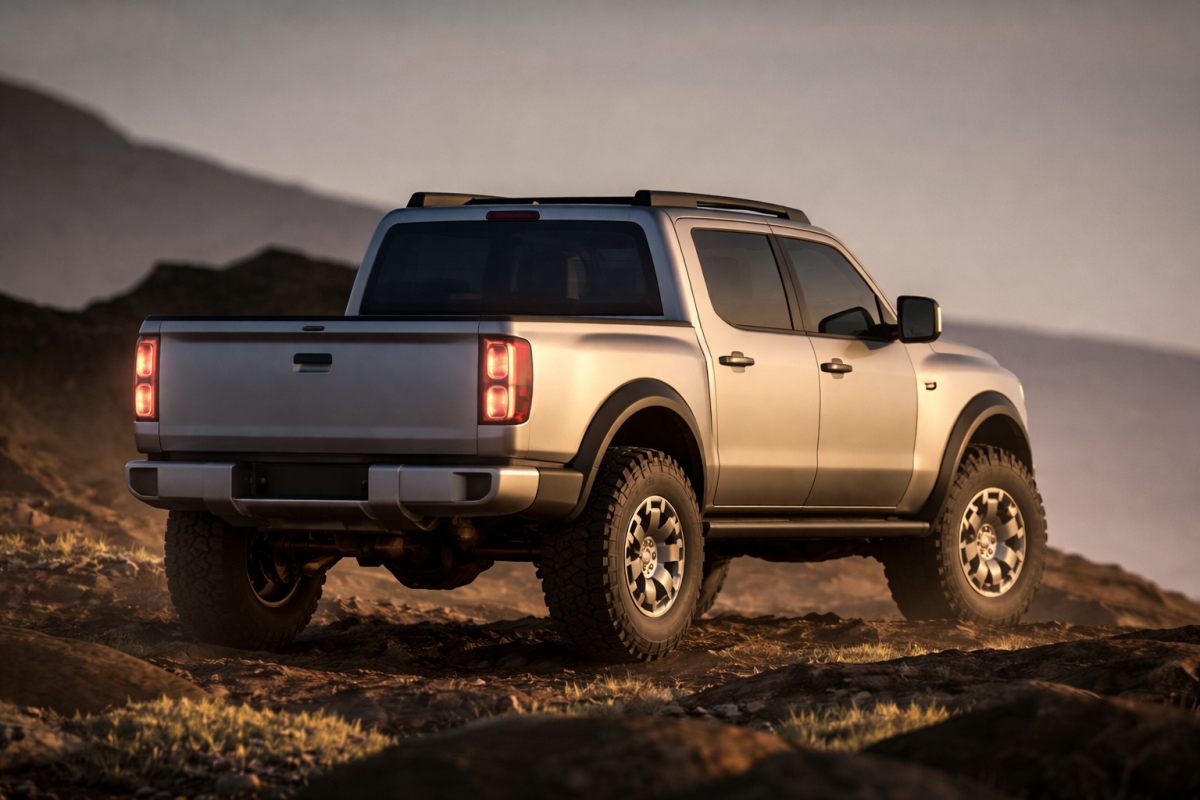
Autoblog (AI-generated image)
A Design that Leans Hard into Capability
Even as an SUV, the Boulder Concept feels like a truck underneath. Hyundai calls it 'Art of Steel’ – sounds a bit poetic and something we've heard before, but it reflects the strong lines, flat panels, and an obvious focus on durability and capability.
The upright greenhouse and tall ride height give it a commanding presence, while details like oversized 37-inch tires and a visibly rugged stance hint at serious off-road intent. The proportions are classic body-on-frame.
There are practical touches, too, with coach-style doors (at least in concept) that promote style and ease of entry and exit – though we hope B-pillars are part of the plan for torsional rigidity. Then again, the roof rack and exposed utility parts show this isn’t just a showpiece. Even the lighting and trim are designed for real-world use.
Turning the Boulder into a pickup feels like a natural step. The rendering keeps the same look but adds a cargo bed. The result sits between a lifestyle truck and a real off-roader, which is right where Hyundai should be aiming.
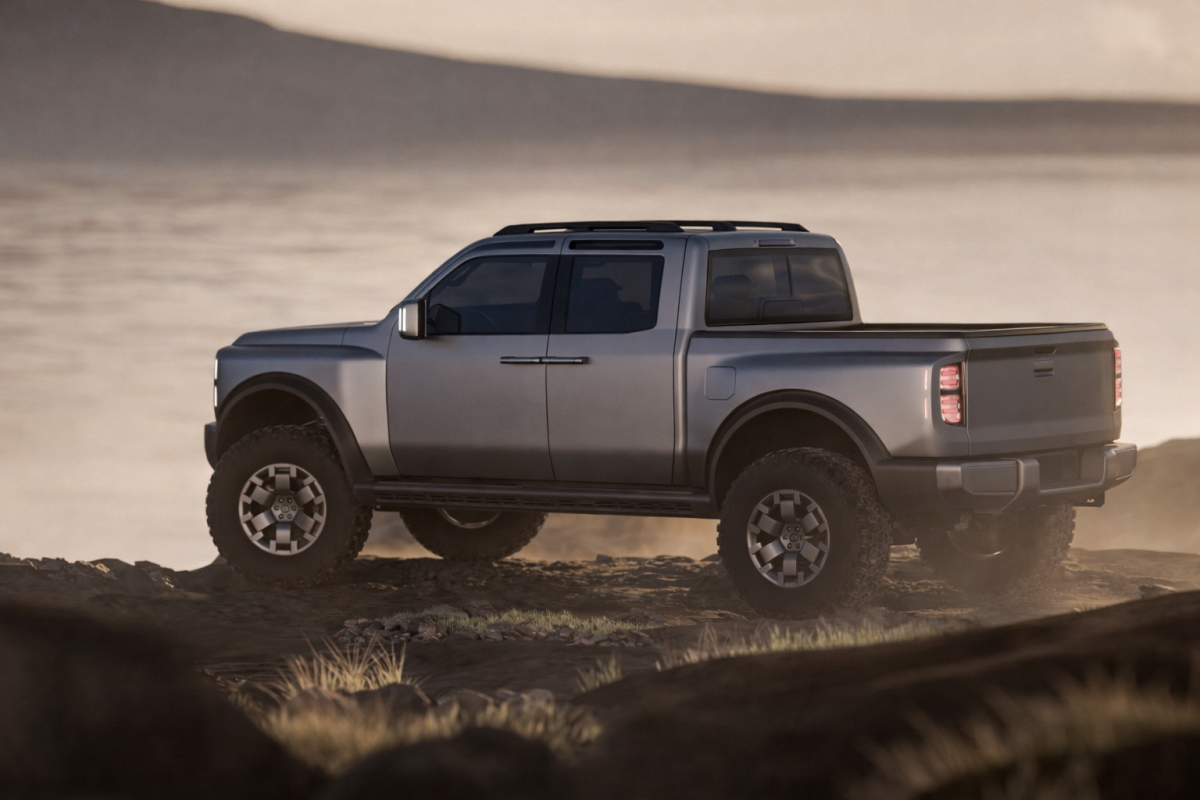
Autoblog (AI-generated image)
It’s Part of a Bigger Plan
The Boulder Concept is part of a larger strategy that includes 36 new vehicles for North America by 2030, with this body-on-frame platform as a key part.
What stands out is how focused this push is. Hyundai says these vehicles will be designed, developed, and built in the US with locally produced steel. That’s a serious move into segments where Hyundai hasn’t really played before, especially the midsize truck market.
It’ll be a while before we see a production model, but Hyundai’s direction is clear. The automaker, which has since axed the Santa Cruz unibody truck, wants in on the more robust midsize market, and it’s not doing things by halves.
If the final truck looks anything like this Boulder-inspired pickup, it won’t just be competitive. It could end up being one of the more interesting choices in the segment.
Hyundai


There are no reviews to display.