


Software Is Now the Product
Performance still counts, but these days, what really sets a car apart is the software running underneath. That’s the thinking behind software-defined vehicles – cars that keep changing and adding features long after you’ve bought them.
That’s exactly where Hyundai Motor Group is headed with Pleos Connect. Instead of treating cars as finished products, they’re building a platform that lets vehicles keep getting better over time.
Pleos Connect rolls out first in the Hyundai Grandeur in Korea, then heads to models like the Ioniq 3 in Europe. After that, expect it to show up in more and more Hyundai vehicles.
By 2030, Hyundai wants Pleos Connect in about 20 million vehicles – yes, including Kia and Genesis. It’s set to become the digital backbone for the whole group.
Hyundai
A New Take on the In-Car Experience
At first glance, Pleos Connect seems like just another infotainment system. But it’s really about making all the new tech in cars easier to use.
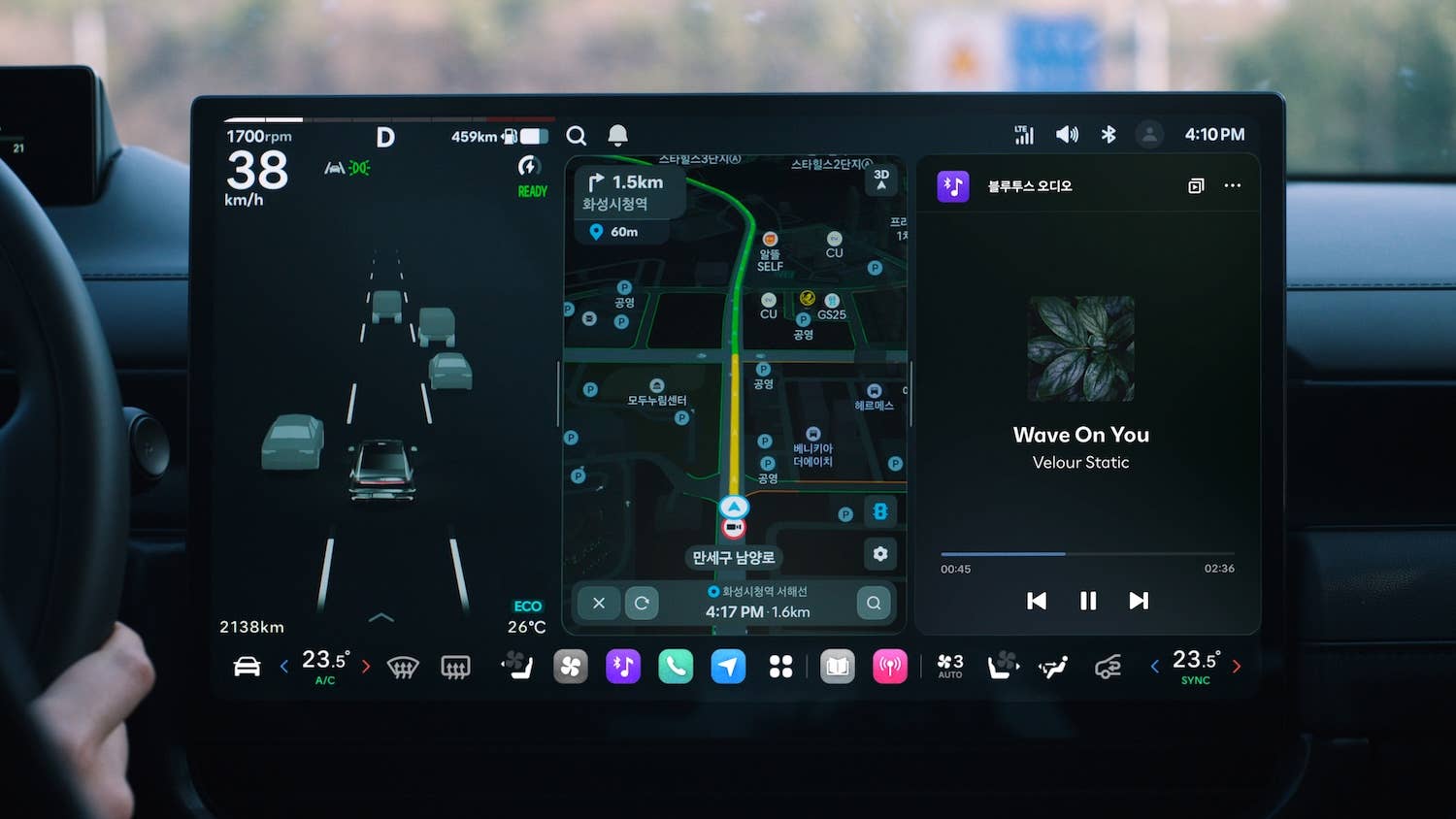
The setup uses two main screens: a big central display split into sections for driving info, apps, and shortcuts, plus a slimmer screen right in front of the driver for immediate basic information.
Thankfully, Hyundai didn’t ditch physical controls as promised. You still get real buttons on the steering wheel and under the main screen.
The interface feels familiar if you use a smartphone. You get split screens and floating info cards, and you can arrange apps however you like. Navigation isn’t stuck in one view, either – you can run it next to your music or other apps, with things like ETA popping up where you need them.
Behind the scenes, Pleos Connect is set up for regular updates. Features, services, and even performance can all get better over time – so your car doesn’t feel outdated after a few years.
Hyundai
What is Gleo AI?
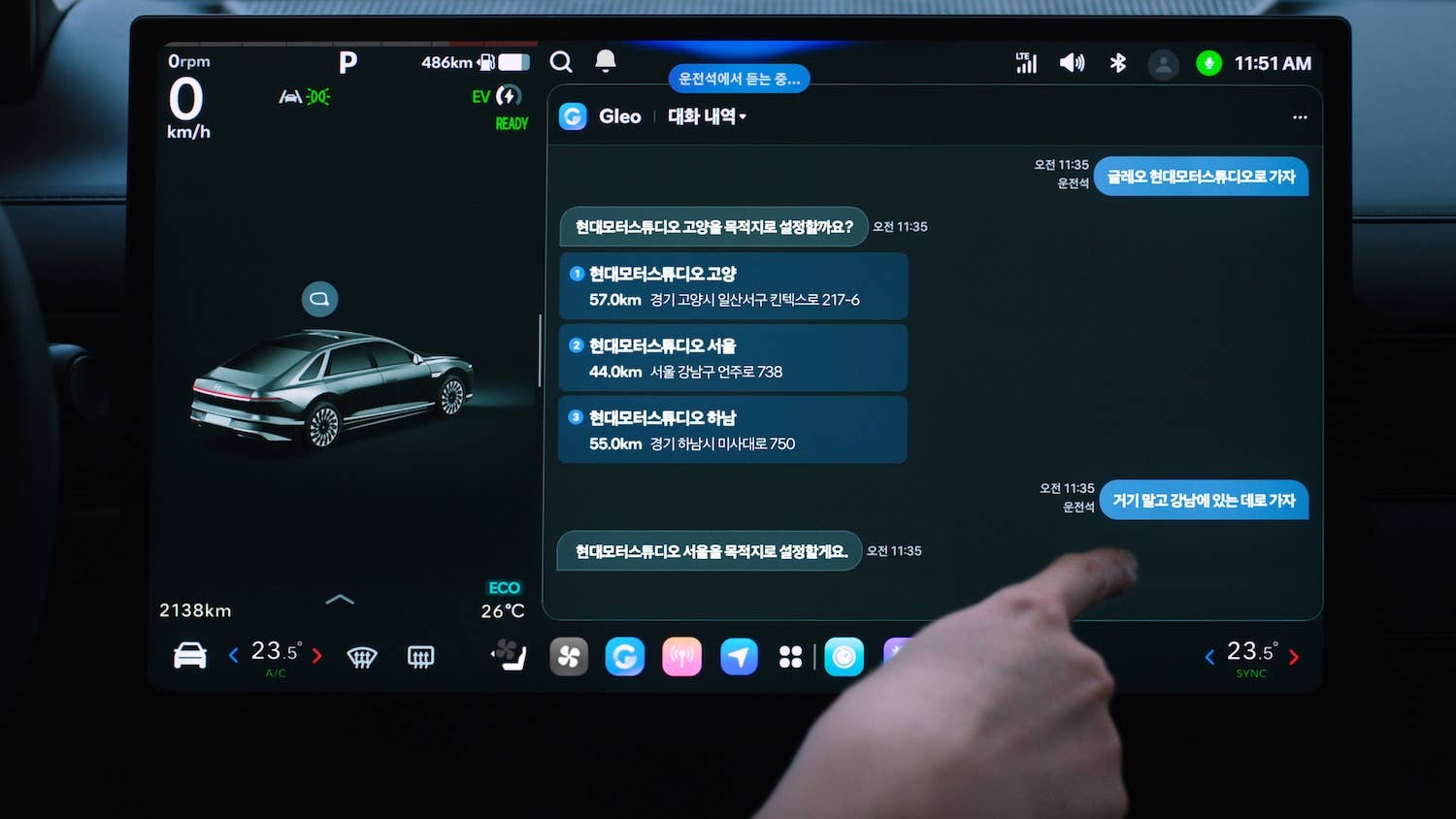
The big leap is the AI layer, called Gleo AI. It’s more than just a voice assistant as it can actually understand what you’re asking, not just follow basic commands – a common feature among modern cars.
You don’t have to memorize exact phrases. Gleo AI can understand what you mean, whether you ask for a nearby restaurant or for directions. It handles more than one request at a time and can handle things like climate and navigation without you having to spell them out.
There’s also an app store built in, so you can add things like streaming or web browsing. Hyundai plans to keep adding more apps – entertainment, games, and tools for the car itself – so your vehicle becomes just another part of your digital world.
Hyundai


There are no reviews to display.