


Hyundai’s Fake EV Gearbox
Hyundai’s simulated gear shift system has quietly become one of the more influential ideas in the EV space. What started as a quirky feature in the Hyundai Ioniq 5 N turned out to be surprisingly convincing, adding fake shifts, simulated revs, and even drivetrain jolts that gave the electric hot hatch a more traditional performance-car feel.
The idea worked so well that other brands started taking notes. Hyundai is also looking to bring this tech to more than just its N models, which shows the company sees simulated shifting as more than a party trick. The next step might be here already, thanks to a new patent filing.
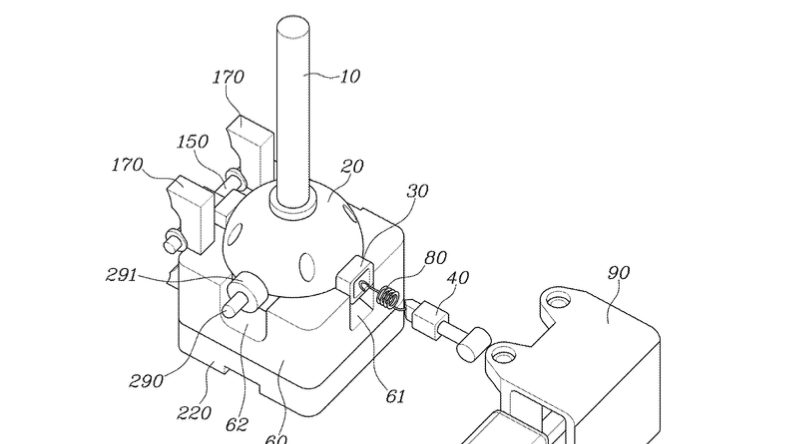
Filed with the US Patent Office in 2024 (patent no. 12624755 if you want to check), the document describes an 'electronic shift operation apparatus.' To put it simply, it’s a setup that uses sensors, springs, and magnets to copy the feel and movement of a real stick shift – without any actual gears underneath. CarBuzz was first to spot the patent after it went public last week.
USPTO
Simulated Gears, Physical Feel
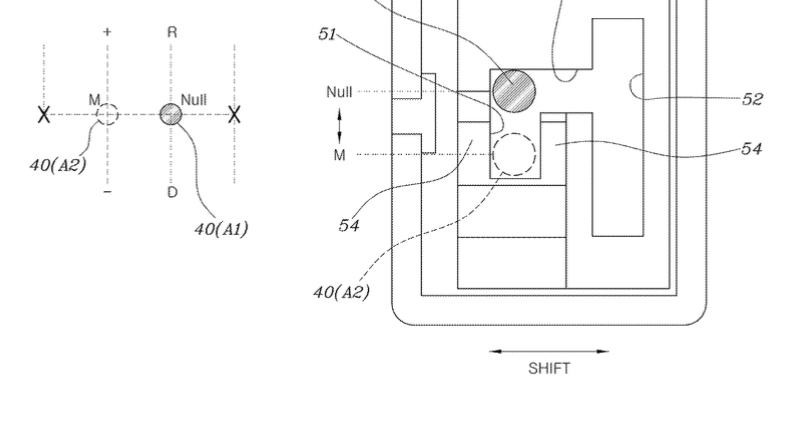
The patent describes a shifter capable of moving through defined positions corresponding to gears, including reverse and neutral. Instead of using traditional linkages connected to a transmission, the setup relies on sensors and electronic inputs to determine where the driver intends to shift.
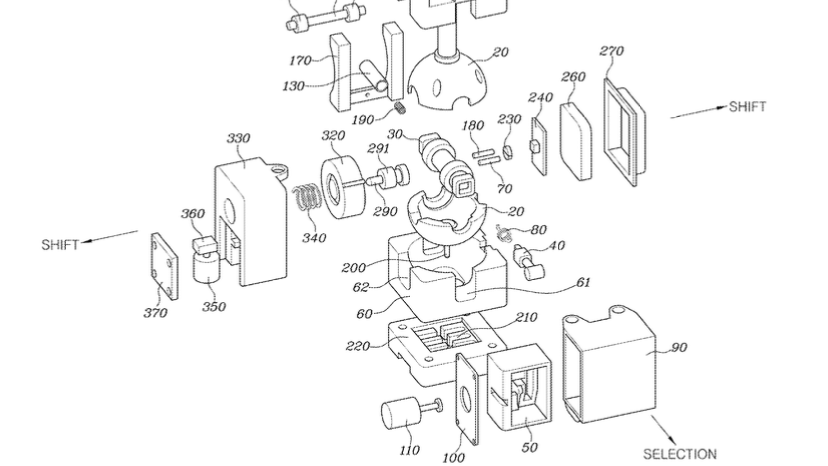
Based on the patent, Hyundai has put in the work to make sure that the shifter would feel like an actual manual shifter, with springs, channels, and resistance in place. The goal, of course, is to give drivers the sensation of a real manual, even if the car is still a single-speed EV underneath.
Some diagrams show the system can guide or even block certain shifts, depending on drive mode or what the car is doing. There are mentions of shift lockouts, automatic shifting, and software-controlled settings.
Of course, just because there’s a patent doesn’t mean this will show up in showrooms. Automakers file plenty of ideas that never leave the drawing board. Sometimes it’s just to stake a claim before someone else does.
USPTO
Hyundai Isn’t the Only Automaker Thinking About Better EV Driving Feel
Manual-style controls in EVs are starting to catch on across the industry. Subaru previously explored the idea of fitting an electric vehicle with an actual clutch pedal, even though it wouldn’t operate a conventional gearbox in the traditional sense. Ford, meanwhile, has also patented alternative EV shifter concepts, including one that could control multiple vehicle functions beyond gear selection.
That, err, shift says a lot about where things are going. For years, EVs were all about smoothness and simplicity. Now, as the market grows up, brands are seeing that drivers still want some involvement and a bit of old-school drama behind the wheel.
Hyundai might be the first to make fake shifting actually fun, not just a gimmick. If this patent leads to a real product, EVs could soon offer a driving feel that’s even closer to the real thing – this time, not through paddles behind the tiller.
USPTO


There are no reviews to display.