




Rivian’s electronic interior releases help keep the cabin clean and modern, but not everyone is happy with how the rear doors work during power loss. A growing number of R1S and R1T owners are sharing DIY solutions to make emergency exits easier for children, after discovering that the manual release cable sits behind the trim rather than being immediately accessible. But complaints about these electronic door handles aren't new. Recently, China announced a ban on Tesla-style door handles over safety concerns, and while no equivalent rules exist in the US, reasons are starting to pile up supporting China's decision.
Why Owners Say The Rear Doors Are A Problem
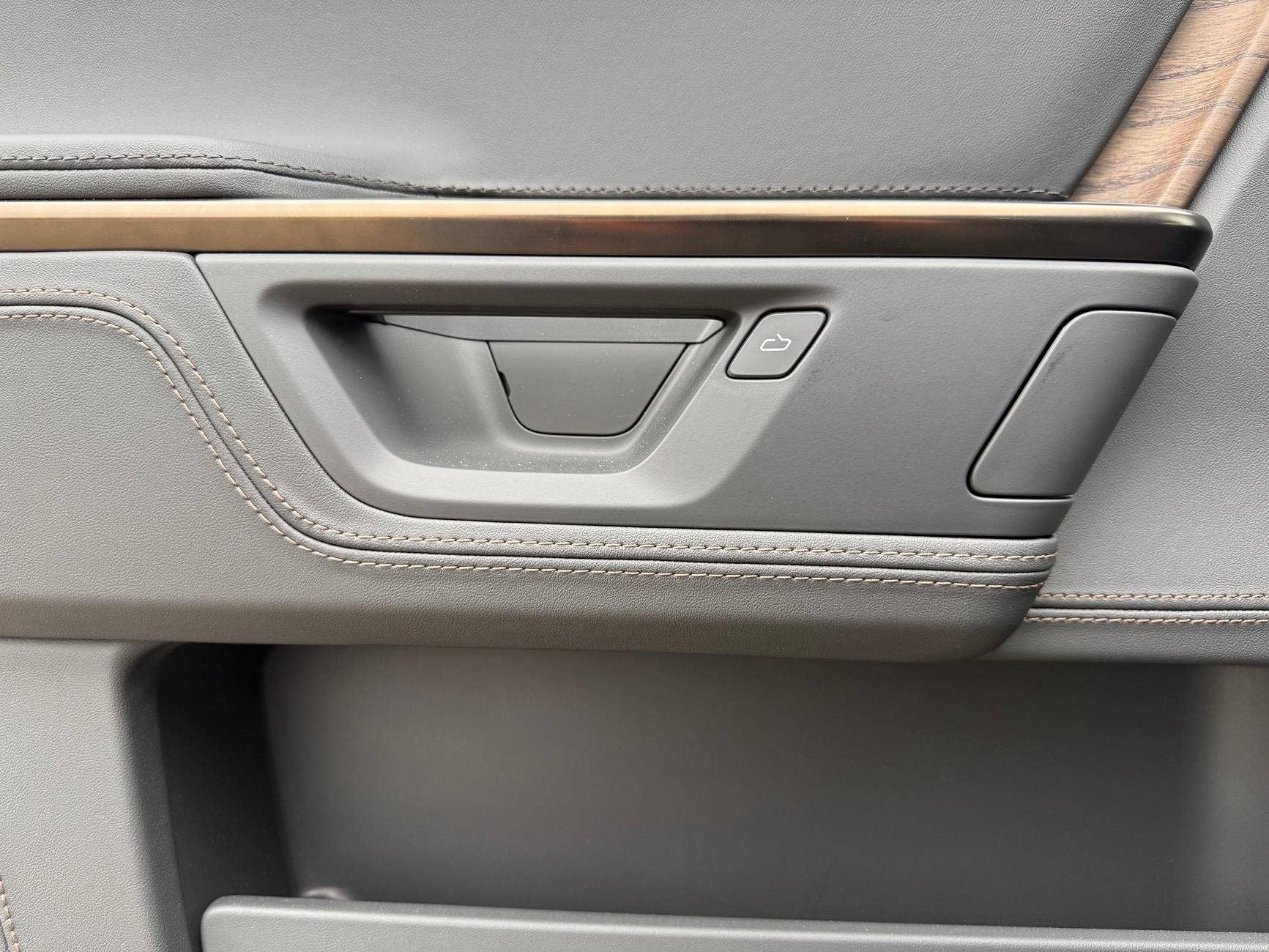
Rivian Forum @socaladam
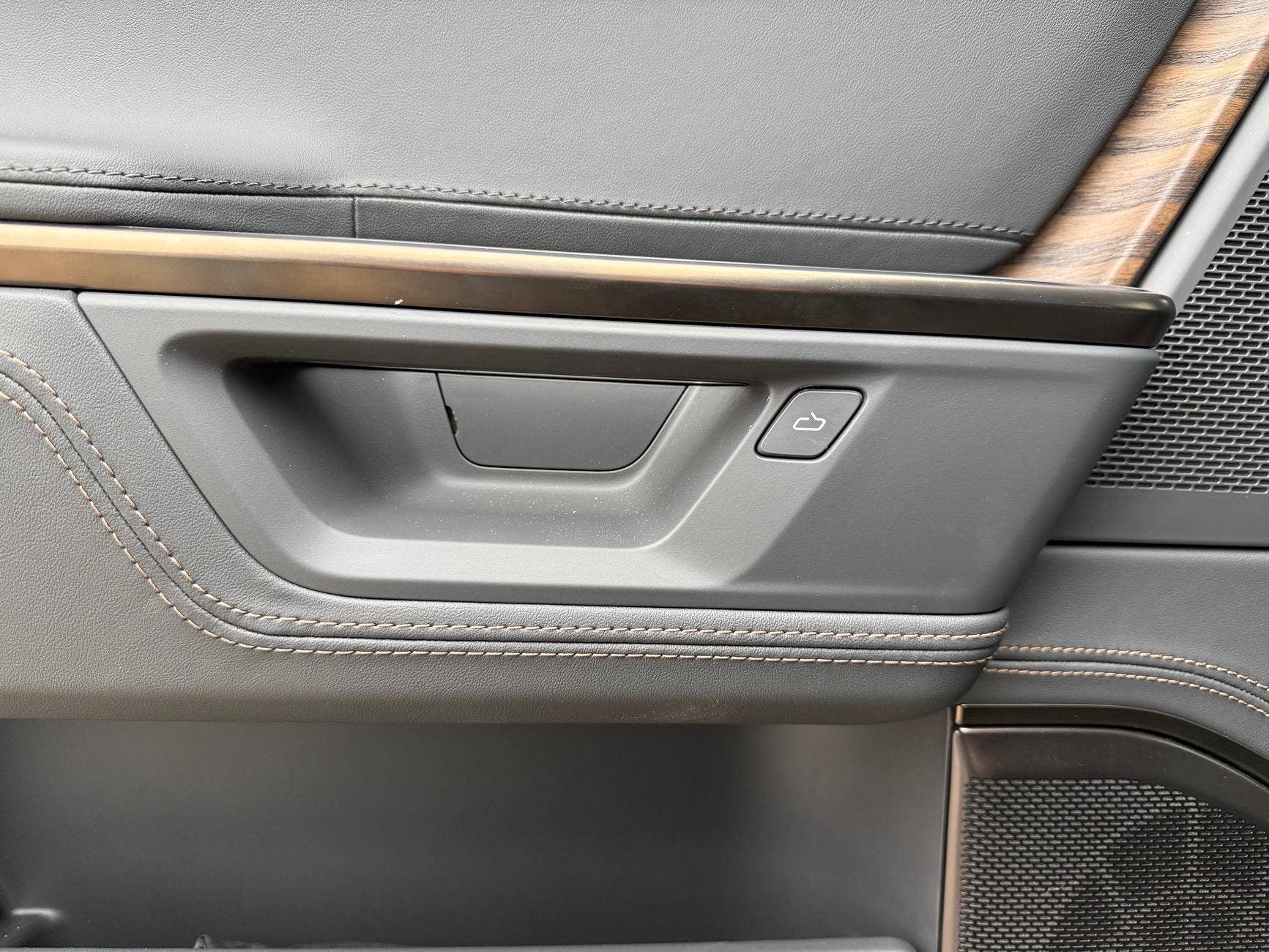
Rivian Forum @socaladam
The 2025 and 2026 R1S and R1T received a structural change that removed the visible rear doors' mechanical backup release found on the first-generation models. Instead, the manual release cable sits deeper behind a panel that first needs to be pulled off. Yet, the front releases remain visible. In one Reddit post titled "My kids are definitely dead in an emergency", user u/AlstonCentral explained that even demonstrating the release to his children proved difficult. He wrote that removing the trim required force, and after he broke it open, locating the cable was still a challenge. He went on to say that "there's no way kids could ever figure this out if they had to".
DIY Fixes Needed on a $70,000+ EV
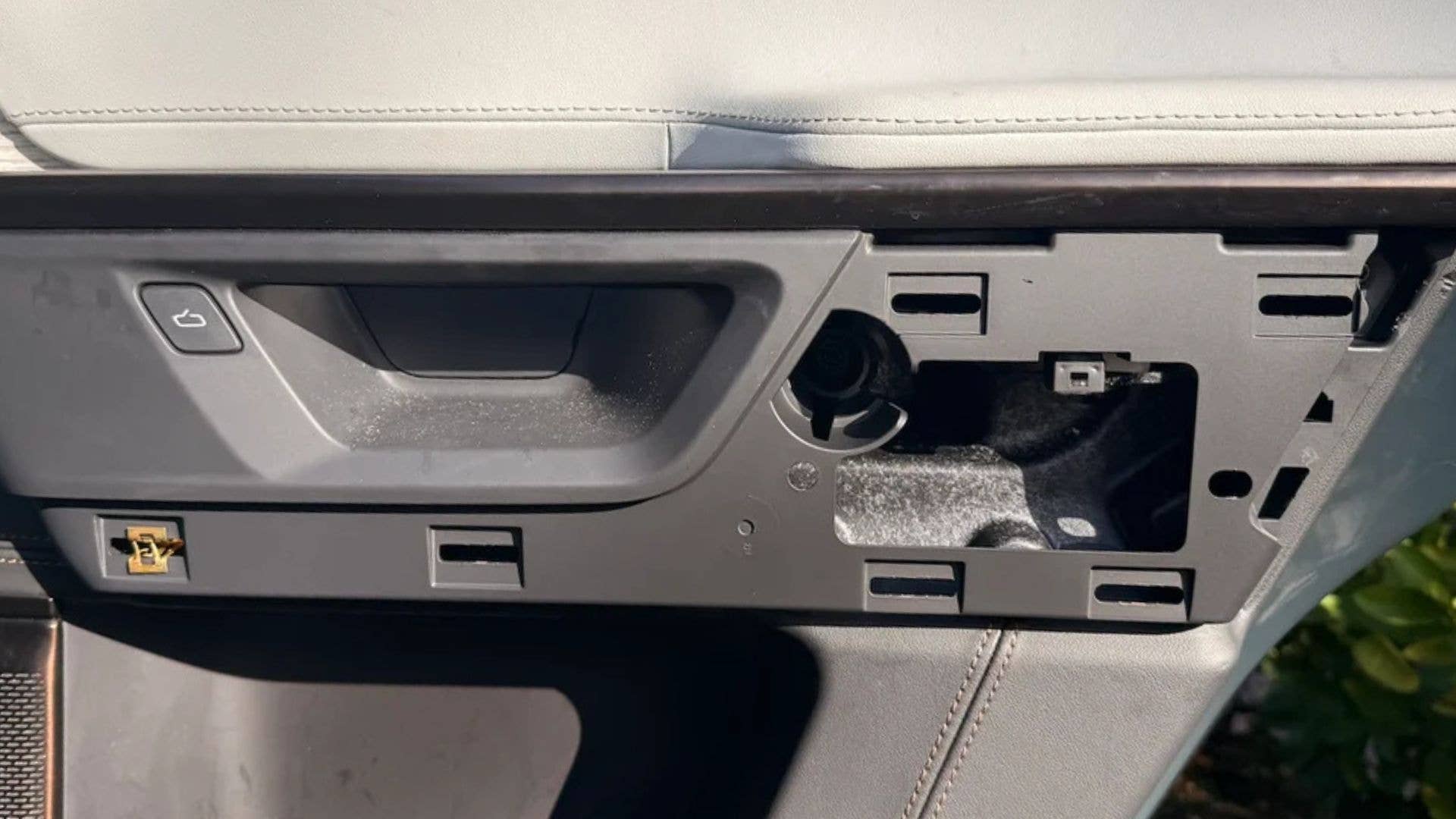
Reddit u/dublew_dubs
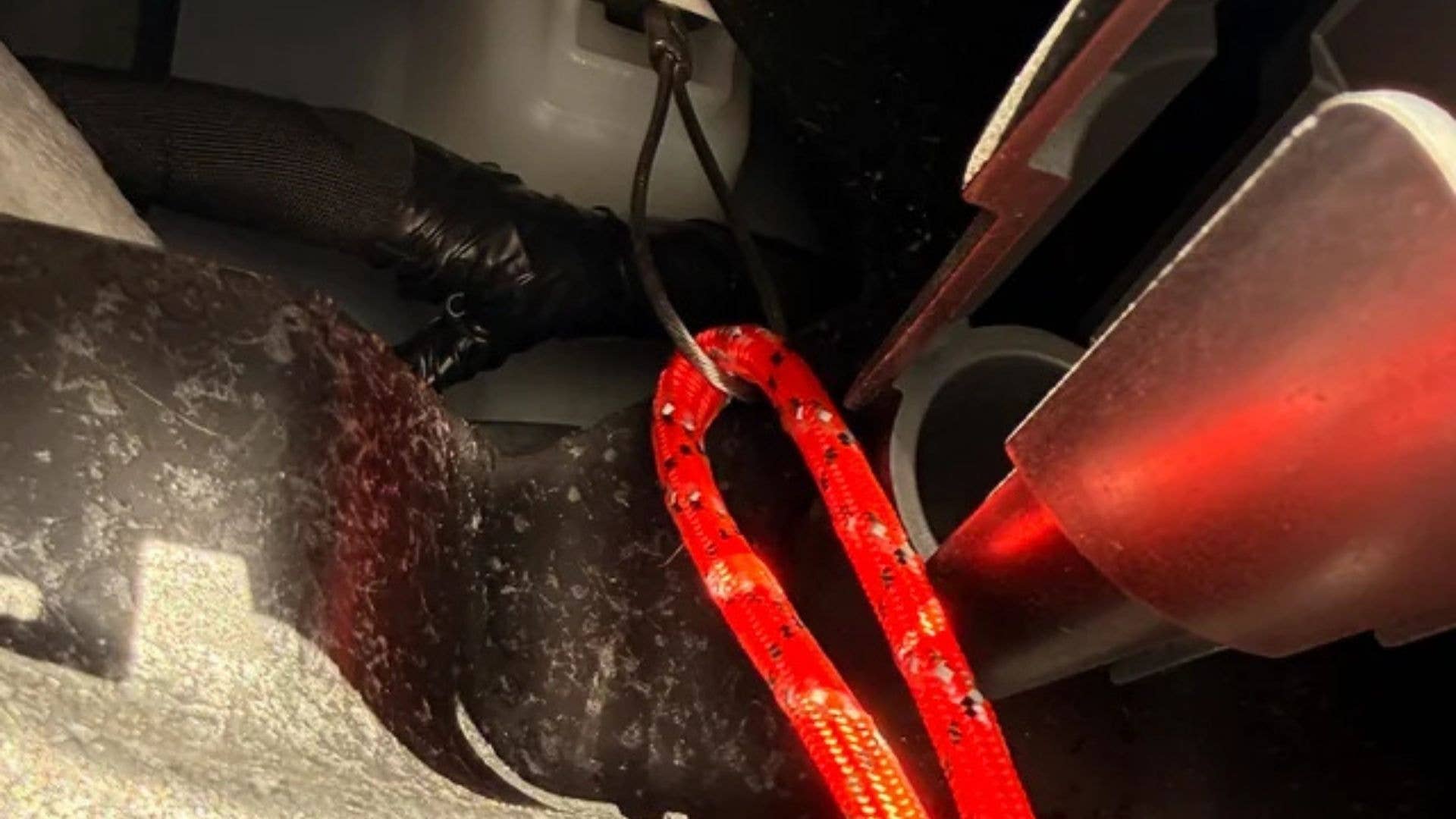
Reddit u/dublew_dubs
With no official retrofit available, owners are taking matters into their own hands. The r/Rivian subreddit is littered with countless tutorials on how to work around this issue. In one shared example, u/dublew_dubs attached high-tensile paracord to the internal release and reinstalled the trim, creating a small pull-cord that rear occupants can access instantly. Other Reddit users say they now keep window-breaking tools within reach, just in case, or they refuse to trade in their aging Rivian for a new one. This isn’t an isolated EV conversation either. A few days ago, Bloomberg reported at least 15 incidents where Tesla occupants were killed after being unable to exit due to electronic release failure, adding weight to why manual mechanisms remain such a contentious topic in the industry.
Should This Design Even Be Allowed?

Rivian
It boggles our mind why Rivian would go from a safe, seamless design to one that puts rear passengers' lives at risk in emergencies. All to eliminate one panel gap. Fortunately, your voices are being heard. Rivian said its upcoming R2 may feature redesigned door mechanisms with more visible mechanical releases. But only time will tell whether it will address the current safety concerns. EV buyers want cool tech, but safety must stay obvious, intuitive, and quick to access. Unfortunately, until the US creates regulations on these backwards-thinking door handles, problems like these won't go away anytime soon.


There are no reviews to display.