Skip to content
View in the app

A better way to browse. Learn more.

Gear Crushers

A full-screen app on your home screen with push notifications, badges and more.

To install this app on iOS and iPadOS
  1. Tap the Share icon in Safari
  2. Scroll the menu and tap Add to Home Screen.
  3. Tap Add in the top-right corner.
To install this app on Android
  1. Tap the 3-dot menu (⋮) in the top-right corner of the browser.
  2. Tap Add to Home screen or Install app.
  3. Confirm by tapping Install.

This Freshly Restored 1969 440 Six-Pack Dodge Super Bee Is Greatness! It’s Up For Auction, So Check It Out Now!

(0 reviews)

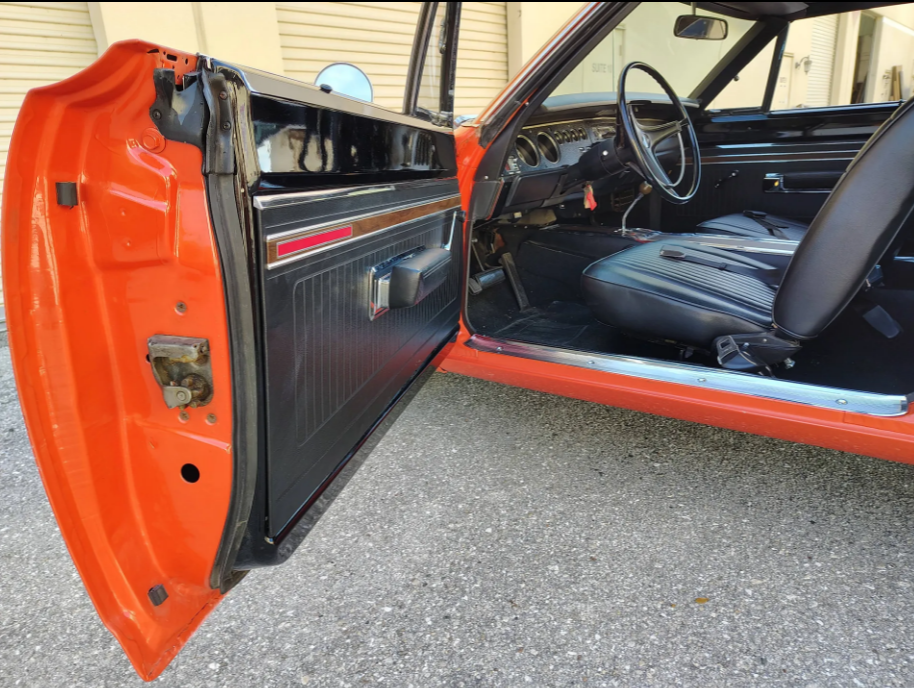
In 1969, Mopar was doing it right. Whether you were talking about Chryslers, Plymouths, or Dodges, they had you covered with awesome muscle cars and hot rods that you just couldn’t help but admire. It’s no wonder that these are still so popular today. So when you come across one with just 51,000 miles on it, that has been restored very nicely like this one, it’s hard not to look. This one is up for auction on Hemmings right now and with a day or so left, now is the time to get your bid in. Here are a few photos, but there are tons more on the auction page, along with some great video of this thing.

With the original 440, 727, and a Dana 60 with 4.10 gears, this thing should be a burnout machine. I hope that someone buys it and drives it. I know it is an all original restored car, but why not?

CLICK HERE TO VISIT THE AUCTION PAGE AND CHECK OUT ALL THE PHOTOS, VIDEO, AND MORE

Screenshot-2026-03-05-115111.png Screenshot-2026-03-05-115140.png Screenshot-2026-03-05-115016.png Screenshot-2026-03-05-115041.png Screenshot-2026-03-05-115058.png

The post This Freshly Restored 1969 440 Six-Pack Dodge Super Bee Is Greatness! It’s Up For Auction, So Check It Out Now! appeared first on BangShift.com.

View the full article

User Feedback

There are no reviews to display.

Street Clubs

Important Information

By using this site, you agree to our Terms of Use.

Account

Navigation

Search

Search

Configure browser push notifications

Chrome (Android)
  1. Tap the lock icon next to the address bar.
  2. Tap Permissions → Notifications.
  3. Adjust your preference.
Chrome (Desktop)
  1. Click the padlock icon in the address bar.
  2. Select Site settings.
  3. Find Notifications and adjust your preference.