


Car launches live and die on their reveal photos—but BAIC’s latest SUV can’t seem to decide what it looks like. Automotive writer Tycho de Feijter put up BAIC's new BJ81, and some people noticed that it kept changing shape from one press image to the next. Badges shifted, body panels morphed, and the wheel spoke count changed. Details that existed in one shot vanished in another, and these didn't seem to be different trim versions either.
The culprit, fairly obviously, was AI-generated imagery — the kind that looks plausible at first glance but falls apart the moment you go looking for consistency. Automakers have increasingly experimented with AI-generated visuals to speed up marketing cycles and reduce production costs, but the BJ81 shows how quickly that shortcut can undermine credibility when the details don’t hold up. If the photos can’t be trusted, neither can the first impression.
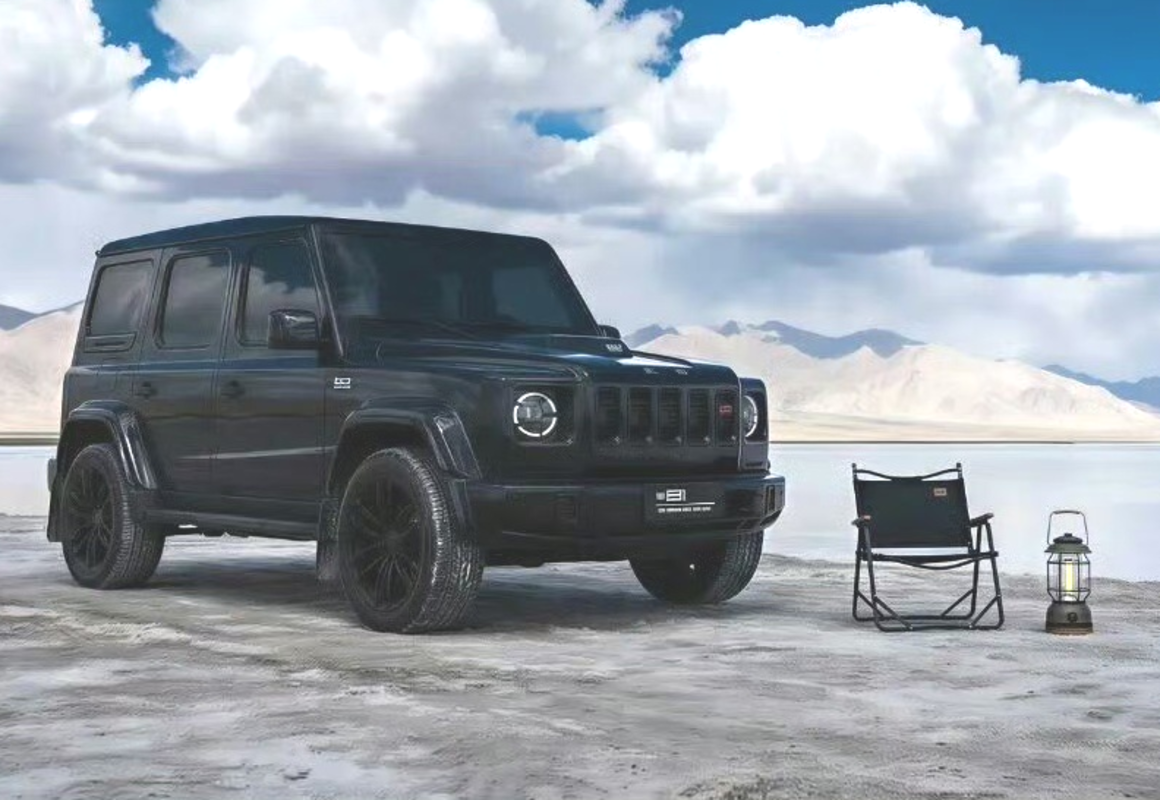
X/TychodeFeijter
A Design That Borrows From Everyone
The BJ81 itself is BAIC's replacement for the older BJ80, and the company has been anything but subtle about its inspirations. The BJ81 doesn’t so much take inspiration as it samples aggressively. Up front, five slats and round headlights do their best G-Class impression. Around the sides, flared wheel arches, chunky side steps, and red brake calipers keep the Mercedes energy going. Out back, a split tailgate and a spare wheel bolted to the door will remind you of a Jeep Wrangler, while the taillights borrow their shape from the Land Rover Defender. Pictures of the SUV from some sort of reveal event are hopefully more telling of the real deal than its press photos.
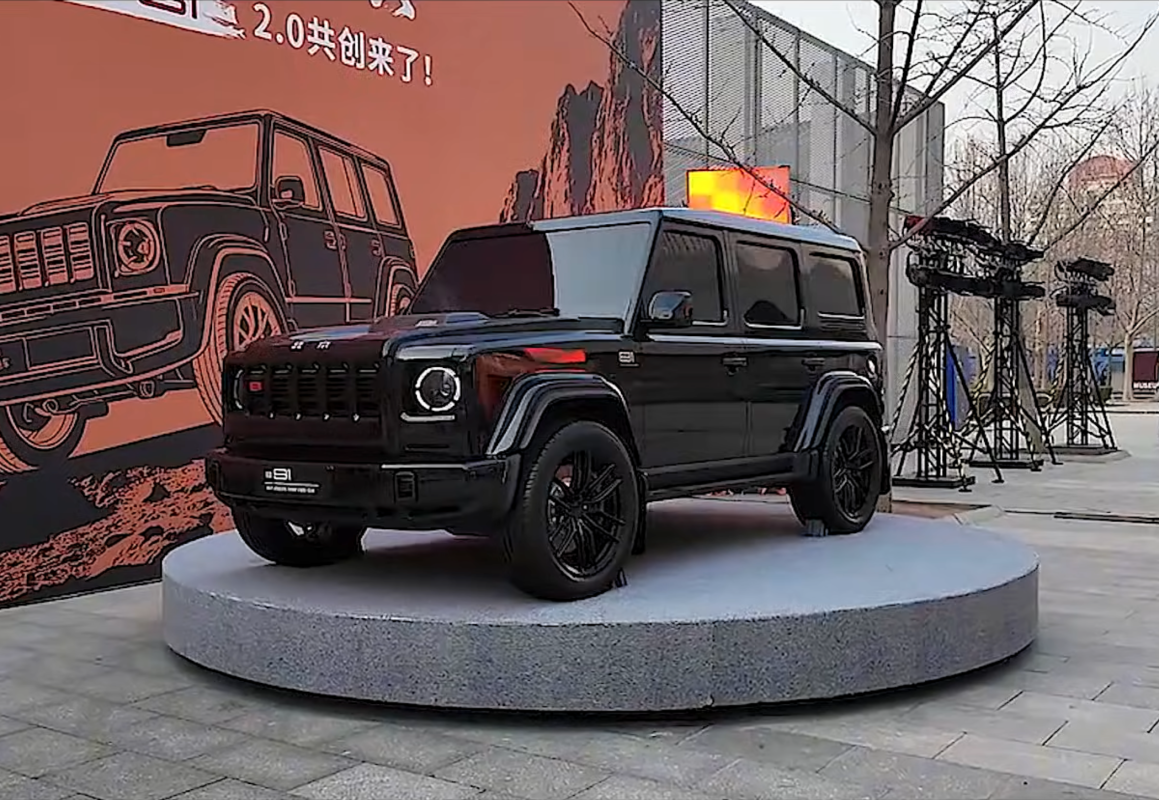
YouTube/CarForLife
It is, in short, a vehicle assembled from the greatest hits of other people's design departments. It’s less a tribute and more a collage—and thanks to the AI images, even that collage can’t stay consistent from frame to frame. A behind-the-scenes image of the shoot was later uploaded, presumably to silence the critics. Ironically, it's even more likely AI-generated than the press pictures that came before.
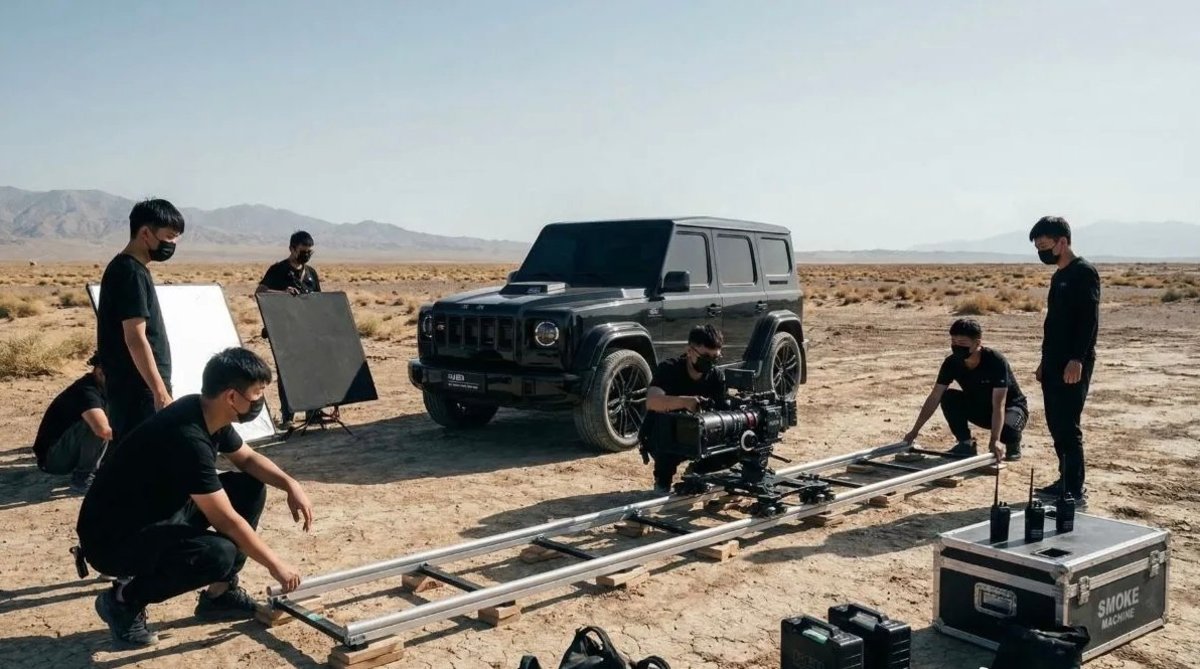
X/TychodeFeijter
Big Looks, Modest Mechanicals
Like the BJ80 before it, the new model is expected to retain a body-on-frame layout aimed at off-road use, positioning it against domestic rivals like the Tank 300 rather than the actual G-Class it visually mimics. The outgoing BJ80 was offered with a 2.3-liter four-cylinder or a 3.0-liter V6, with power outputs ranging from 231 to 276 horsepower. BAIC hasn’t fully detailed the powertrain on the BJ81 yet, but early reports suggest an electrified setup, likely a small-displacement engine acting as a range extender. Final power figures haven't been confirmed ahead of the car's public debut at April's Beijing Auto Show.
The hope is that the real thing at least performs better than its press photos suggest, because right now the BJ81 is more memorable for what AI got wrong than anything the car itself got right.


There are no reviews to display.