


Full Self-Driving has finally landed in Europe. On April 10, the Dutch vehicle authority RDW granted Tesla type approval for FSD Supervised, marking the first full EU-wide regulatory clearance and opening the door to a broader rollout this summer. It should have been a victory lap moment for Tesla owners who had been waiting. For many of them, it turned into something else entirely. The approval only applies to vehicles running Tesla's newer AI4 computer. Cars equipped with the older HW3 hardware, also known as FSD Computer 3.0, are excluded from the launch. Thousands of European Tesla owners paid for Full Self-Driving years before any of this hardware distinction existed. Some paid as far back as 2018 or 2019, watching the price climb and the promises pile up, trusting that Tesla would eventually deliver. Now FSD is finally here in Europe, and their cars are not invited.
Tesla owes me €6.800.
— Mischa Sigtermans (@mischamartijn) April 14, 2026
And if you're a HW3 + FSD owner, they owe you too.
2019. One of the first Model 3 owners in the Netherlands. Paid for Full Self-Driving.
The promise: same hardware, software updates will unlock full autonomy. Just wait.
I waited 7 years. SEVEN years!… pic.twitter.com/zpFW8MUdWp
The Claims Site, and What This Could Mean
One Dutch Model 3 owner named Mischa Sigtermans has had enough. He paid €6,400 (approximately $7,500) for FSD back in 2019 and recently launched a collective claim website specifically aimed at bundling EU Tesla owners on HW3 hardware who want either a negotiated resolution or, failing that, a legal one. Today, Tesla no longer offers FSD as a one-time purchase at all, only as a $99 monthly subscription. European buyers who pre-ordered at configuration paid between €5,300 and €7,500 ($6,300-$8,800), depending on timing, for a feature that, as of this week, they still cannot access. Elon Musk himself acknowledged on Tesla's Q4 2024 earnings call that roughly 4 million vehicles shipped with HW3, and hundreds of thousands of those owners have paid for FSD already.
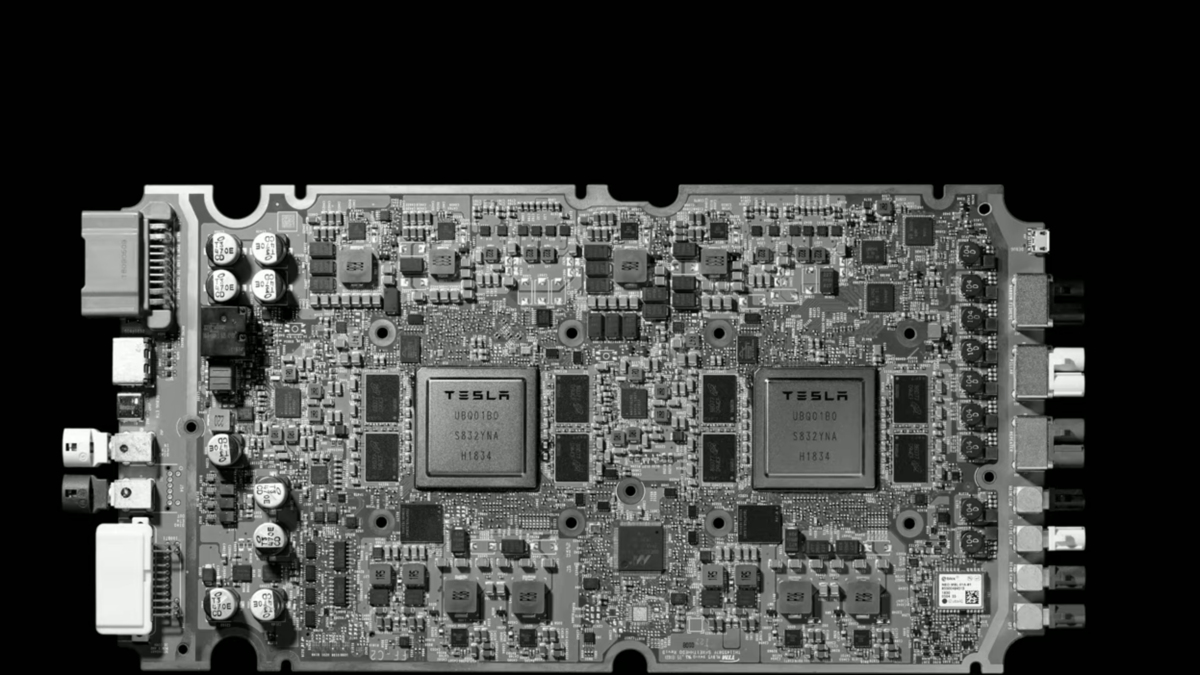
Tesla
Tesla's Own Words May Be Its Biggest Problem
The legal risk for Tesla is that the paper trail is extensive, and a lot of it came from Tesla itself. Musk admitted that the company would need to replace all HW3 computers in cars where FSD had been purchased, calling the situation "painful and difficult". HW3 runs a significantly reduced model compared to AI4, with workarounds to emulate operations that the older chip cannot run natively. Tesla has floated a "v14 Lite" version for HW3, but its own US patent filing acknowledges the workaround can render the system inoperable.
As of now, there is still no hardware retrofit program or refund policy. The claims website is in its early stages, but momentum is building fast. What began as one frustrated Dutch owner posting on social media has quickly started to look like the opening move of something much larger, with nearly 1,400 verified participants already. If Tesla does not move to resolve this voluntarily, Europe's courts may eventually do it for them.


There are no reviews to display.