




From navigating across continents to finding the nearest fuel stop, GPS has become indispensable during modern exploration, and Garmin has been defining GPS for nearly 40 years. Their first dedicated unit specifically designed for overlanding debuted to the public all the way back in 2019. This off-road focus model, appropriately dubbed the Garmin Overlander, was a huge hit, and since then Garmin has expanded this line and shifted it under the Tread nameplate series with several models available for off-road adventures. We’ve been testing the Garmin Tread 2 Overland Edition for several months, and we’ve tested it against other options on trails near and far, and we even finished up the review with it as the only “smart” device in a decidedly analog truck we’re building.
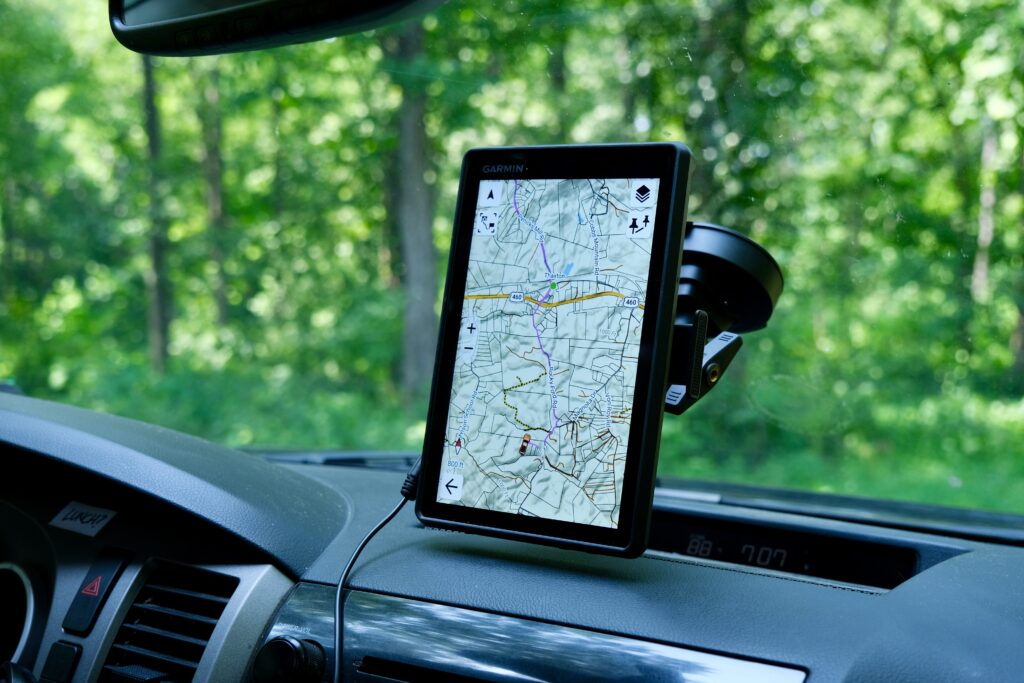
Before we dive into the specifics of our time and experience, let’s review the high points of the Garmin Tread 2 Overland Edition.
- 8-inch high-resolution ultra-bright touchscreen
- IP67 construction withstands dust, rain, vibration, and extreme temps
- Dedicated turn-by-turn routing on and off-road
- Preloaded maps including topographic and 3D terrain layers
- Public and private land boundary overlay
- Excellent customization offerings to help you explore
READ MORE: Best Rigs of Overland Expo PNW
Built for the Rough Roads
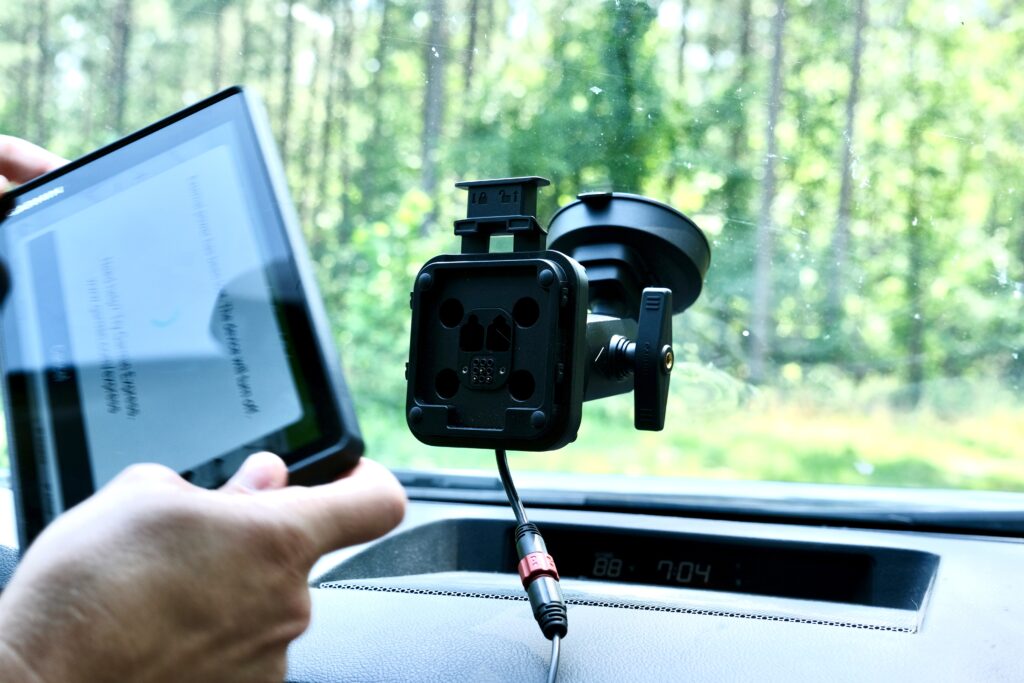
As soon as this Garmin GPS is in hand, the build quality is obvious. It’s not some lightweight, delicate tablet, and I never worried about a drop damaging it. After months of use, with some time riding around in a pouch with the mount when not in use, the only marks are on the rubberized bezel. Even these have to be caught in the right light. More importantly, the 8-inch touchscreen is still immaculate. Sharing the same off-road-ready construction is the suction cup mount. The Tread 2 snaps into place via the magnetic mount with a reassuring thud. While I can’t imagine jostling it from its perch, there’s even a physical locking clip for extra security. This mount is easy to swap between landscape and portrait orientations, and it has yet to fall from admittedly less-than-spotless windshield.
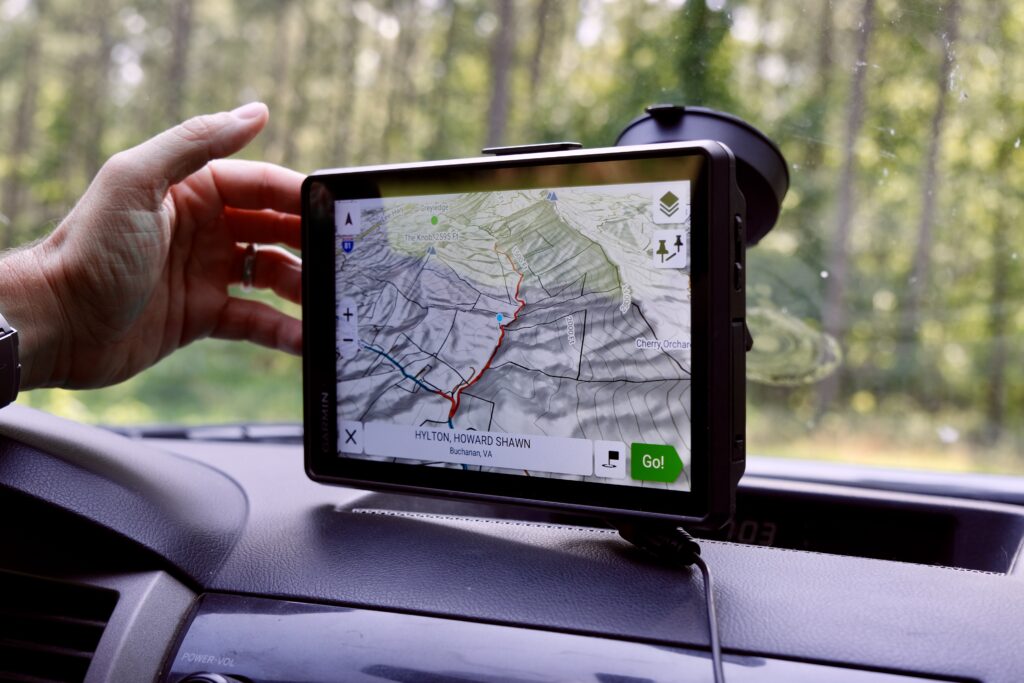
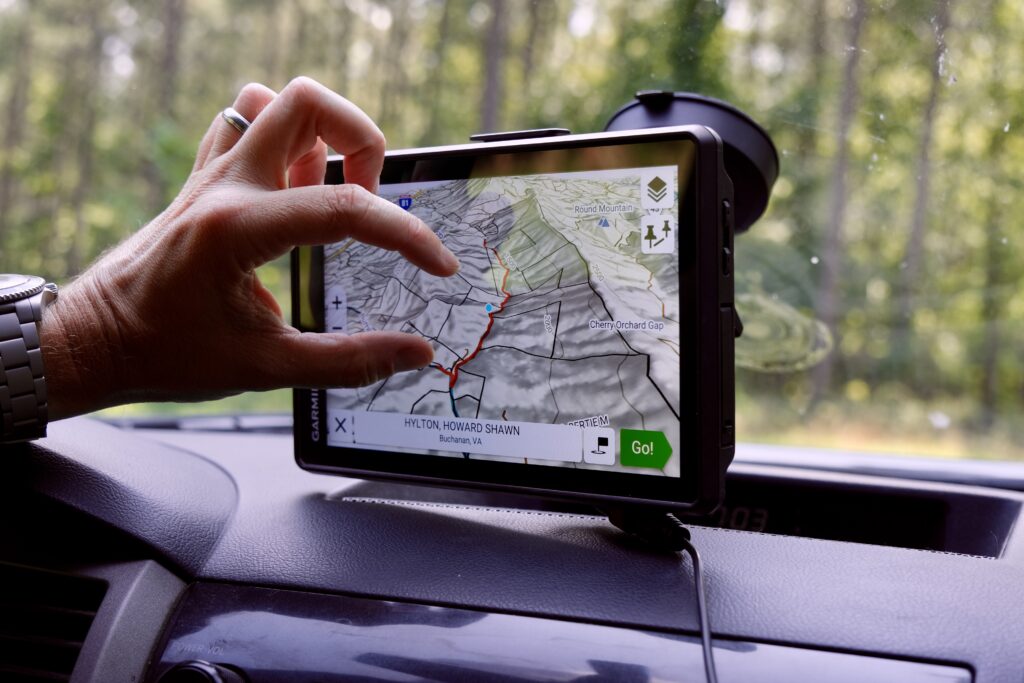
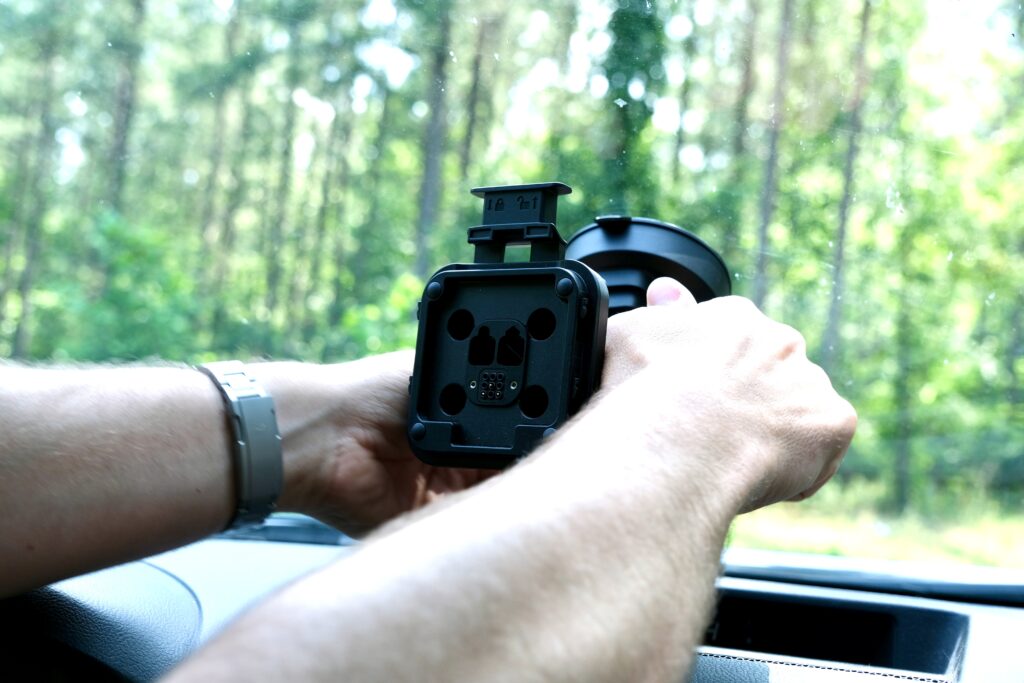
One thing I’ve noticed over the full summer and winter seasons I’ve used the Tread 2 is that, even on the hottest days with many hours in the dash, I’ve never received a heat warning. I’ve seen this cause issues with smartphones and dash-mounted tablets on many occasions, but the 113-degree Fahrenheit range is accurate. On top of that, the touchscreen is visible in even the brightest sunlight with very minimal glare. To me, that’s a huge plus for any outdoor device, especially one that might be used on a motorcycle, SXS, or even a Jeep or Bronco with the top off.
A couple of buddies have been using previous generations from this lineup, and even one still has an original Overland in use; the upgraded processor in the Tread 2 Overland Edition is noticeable. Even when loading zoomed-in maps with lots of detail, it never lags. In comparison to other GPS options, I’ve noticed the accuracy is very impressive. In the Blue Ridge Mountains, the dense foliage and deep hollows can often cause poor signal, but none of my routes have drifted from the trail, and even tracking multiple trips over the same track, the accuracy has held true.
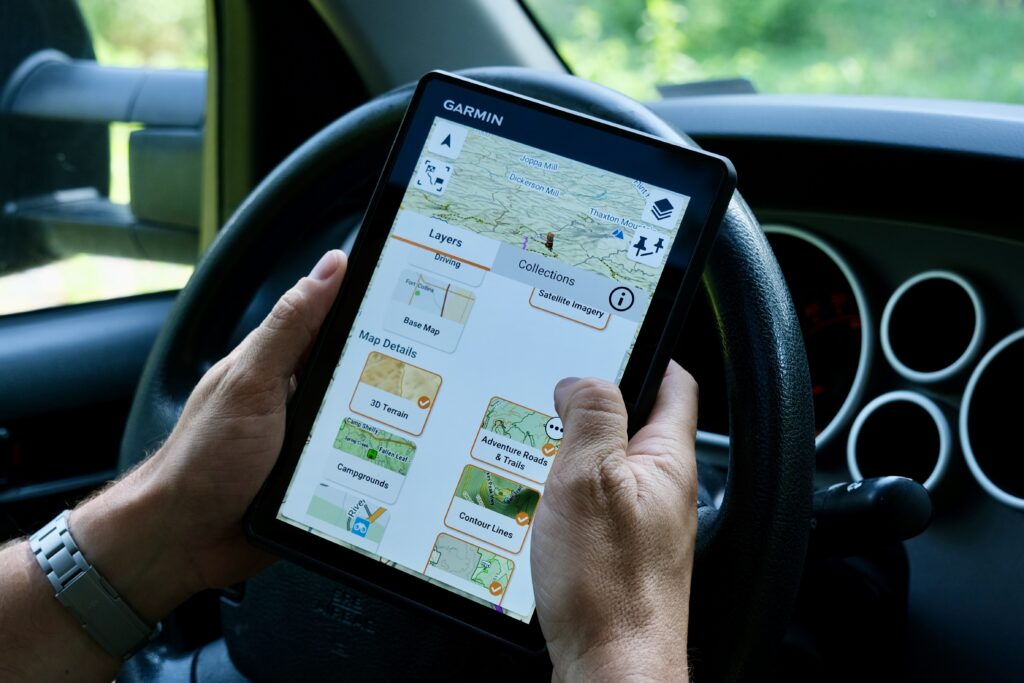
While all of my testing was in a truck, I can see how the Tread series would be very appealing to the ADV Moto and SXS crowds. Even in the elements, there’s no fear of failure, and these units offer some great functionality for every type of off-road adventure.
Choose Your Own Adventurous Routing
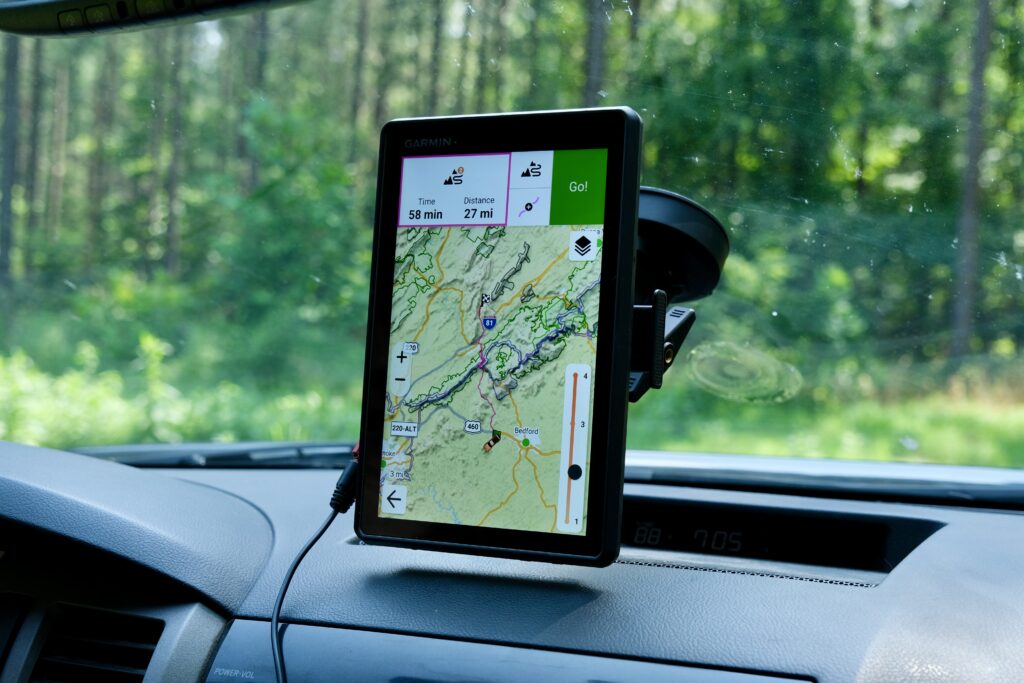
The Adventurous Routing feature is one of my favorite features on the Tread 2. It makes it super simple to dial in how much “wandering” you want to do on the way to your next destination. A simple slider selects one of four levels that changes how far off the “direct” route the Tread 2 will take you. It’s a great way to see some unexpected side routes while still heading the right direction.
READ MORE: Overland Expo PNW Recaphttps://www.overlandexpo.com/compass/pnw-recap/
In a similar vein, if you’re looking for a great ride in a hurry, Garmin has you covered. The Tread mobile app features a curated collection of trails selected by the Garmin community. The app allows you to automatically sync these with your device, and they’re displayed by proximity. After you complete your own trip on a selected Great Ride route, you can even add your own photos and difficulty feedback.
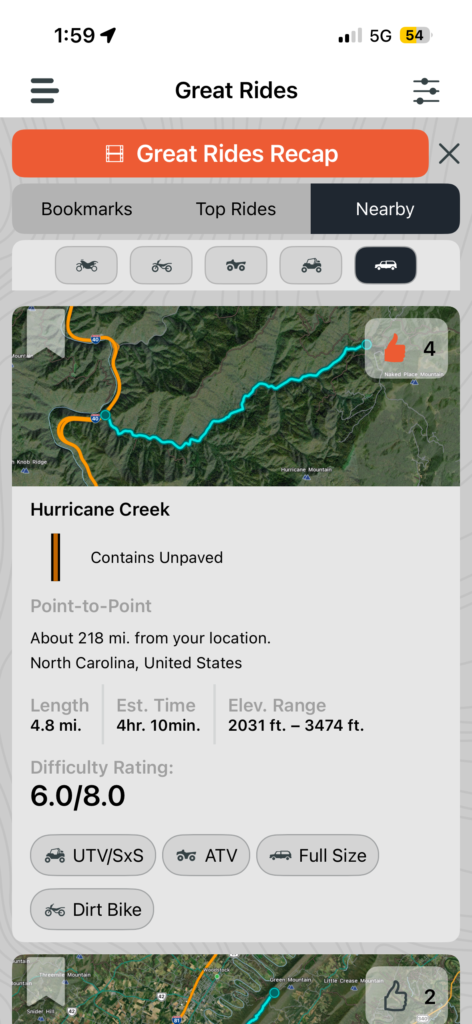
While I’m always in a truck when I’m exploring trails, you can also set up different vehicle profiles in the Tread 2, and then it will select routes appropriate for the rig you’ve selected. I can see this being a super helpful feature for someone that overlands with the family, but then heads out on a motorcycle or SXS for other trips.
More than a GPS
Unfortunately, I didn’t have time to test some of the extended capabilities that the Tread 2 offers through the PowerSwitch compatible options. This allows you to control lights, air compressors, and even lockers directly from the touchscreen. This is a great way to consolidate aftermarket 12-volt accessories into one place. As I continue to work on the Tundra, this will be a great way to keep accessory controls clean and easy to integrate.
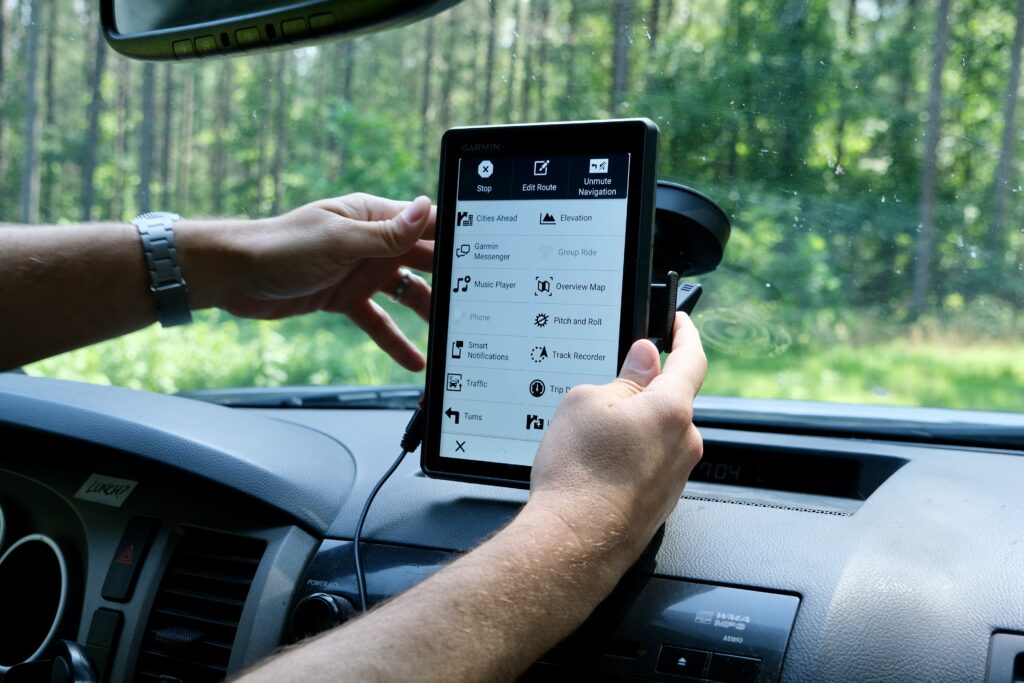
And if you’re already in the Garmin ecosystem, the Tread 2 Overland Edition adds tons of other functionality.
- With the Group Ride Tracker accessory, you can stay in touch with your group and track them in real time, plus with push-to-talk communicators you can even communicate hands-free with a helmet or headset.
- The Tread 2 can pair with your inReach satellite communication device for two-way texting without cell coverage and send interactive SOS messages to the Garmin Response team.
- With a compatible Garmin GPS Dog Tracker, you track and retrieve your dog in the field.
Pros
- Incredible build quality. I can’t imagine a scenario that would begin to test the durability of the Tread 2 Overland Edition that wasn’t a vehicle fire or catastrophic accident.
- Massive ecosystem support and integration with other Garmin products. The PowerSwitch possibilities alone make this a huge boost to the functionality of this device.
- Mobile app works well, and the Great Trails integration is a nice touch.
- The initial sticker shock should be the only cost considered. Garmin offers free wireless map and software updates, so this can be a one-time purchase that backs years of off-road travel.
Con
- Garmin’s UI has a bit of a learning curve, but once I used it for a weekend, I was good to go. Just don’t open the box, hit the trail, and expect everything to be easy to find.
- While robust, the included mount may not work for every use case, but Garmin offers additional options on their site.


Recommended Comments
Create an account or sign in to comment